


Disclosure: My website is reader supported. If you purchase a product after clicking a link, I may receive a commission, at no extra cost to you. Learn more.
In the video above, I share what it was like to cool and heat our bed with the Eight Sleep Pod 5 for eight months. I also cover some key practical points, such as the maintenance, water tubes placement, fan sound, and cloud dependence.
I filmed the video in April 2026, but I’ve added a section to this page in August 2026 to discuss some new updates which came out after that eight month period.
You’ll find that below the transcript, along with the link to the Eight Sleep website at the end if you’d like to find out more.
Video transcript / full review
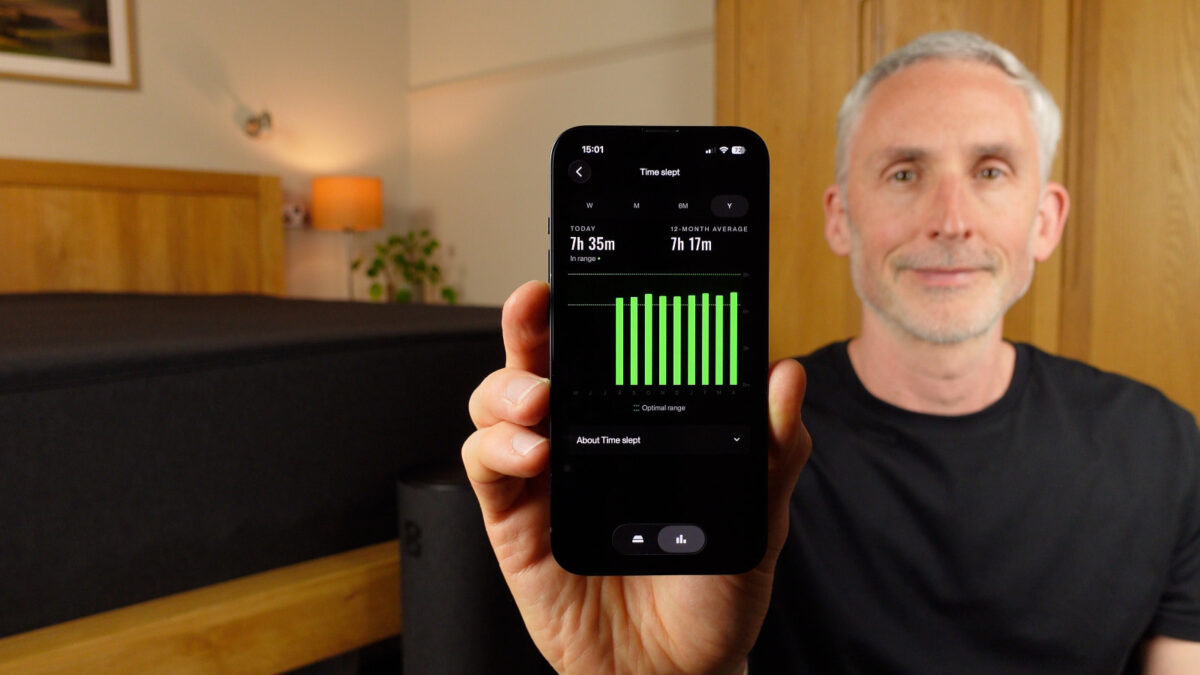
In the photo below, you can see my sleep data on the one year time frame. It runs from August 2025 (when I installed the Pod 5) to April 2026 (when I filmed my video).
Introduction and what I’ll cover
I’ve now slept on the Eight Sleep Pod 5 Core most nights for the last eight months. And in this video/article, I’m going to share what it’s been like to use for such a long period of time and what’s changed since my initial Pod 5 review, which I did after around three months.
If you haven’t seen that video, I do recommend watching it as well. I went into a lot of depth about the app and the features, so it was a more technical review. But after that, I felt it would be a good idea to use the Pod 5 as naturally as possible without constantly thinking about it and doing tests.
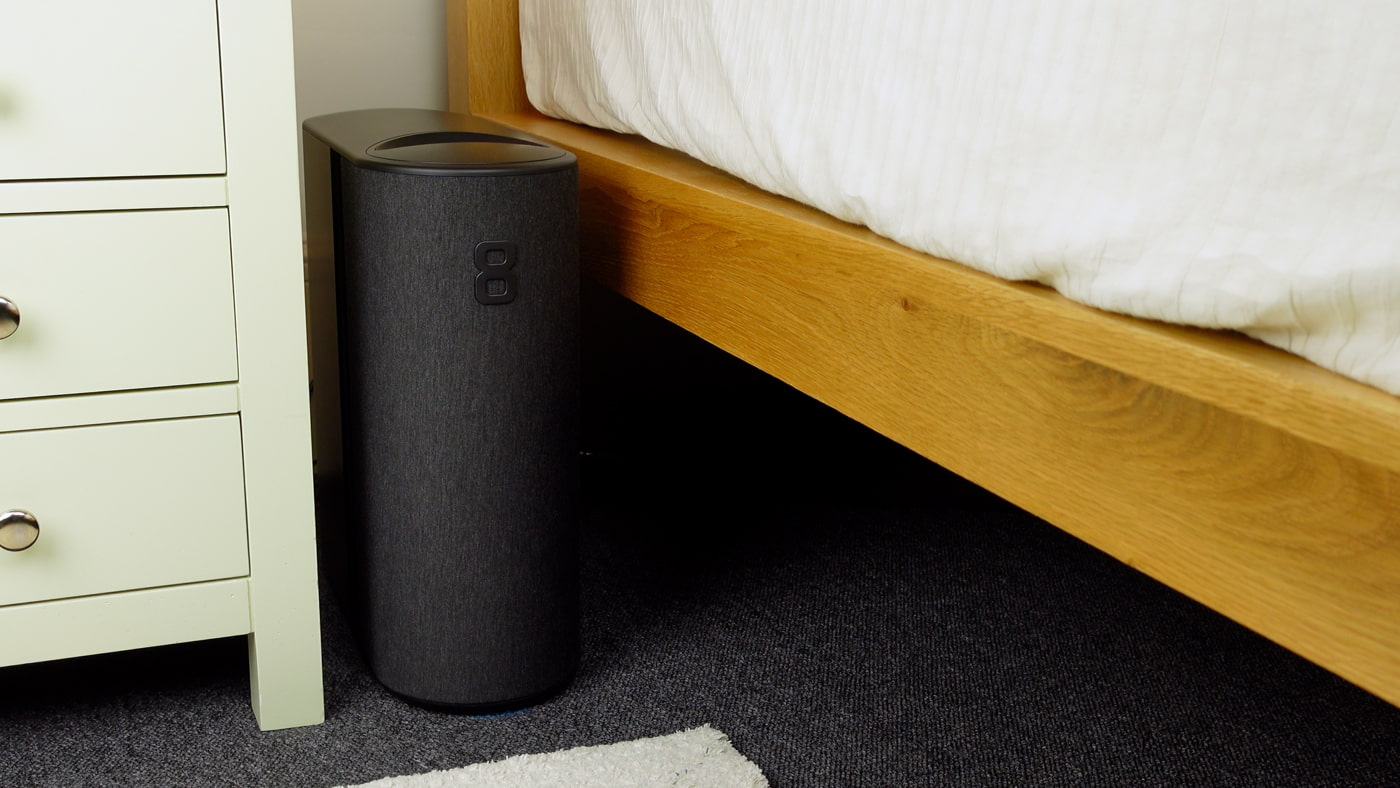
I also thought it would be a good idea to counterbalance some of the hype, glossy marketing, and celebrity endorsements with some everyday experience. So, I’m going to cover some of the less glamorous but important points like the maintenance, buttons, what to do with the water tubes if you have a solid bed head like we do, and what it’s actually like to use over the long term.
Effective temperature control, with no water issues
Let’s start with probably the most important point I can share, which is that the heating and cooling have been very effective, and we’ve had no problems at all with the water system and the pad. Importantly, there have been no leaks, mould, or mildew.
Pad comfort
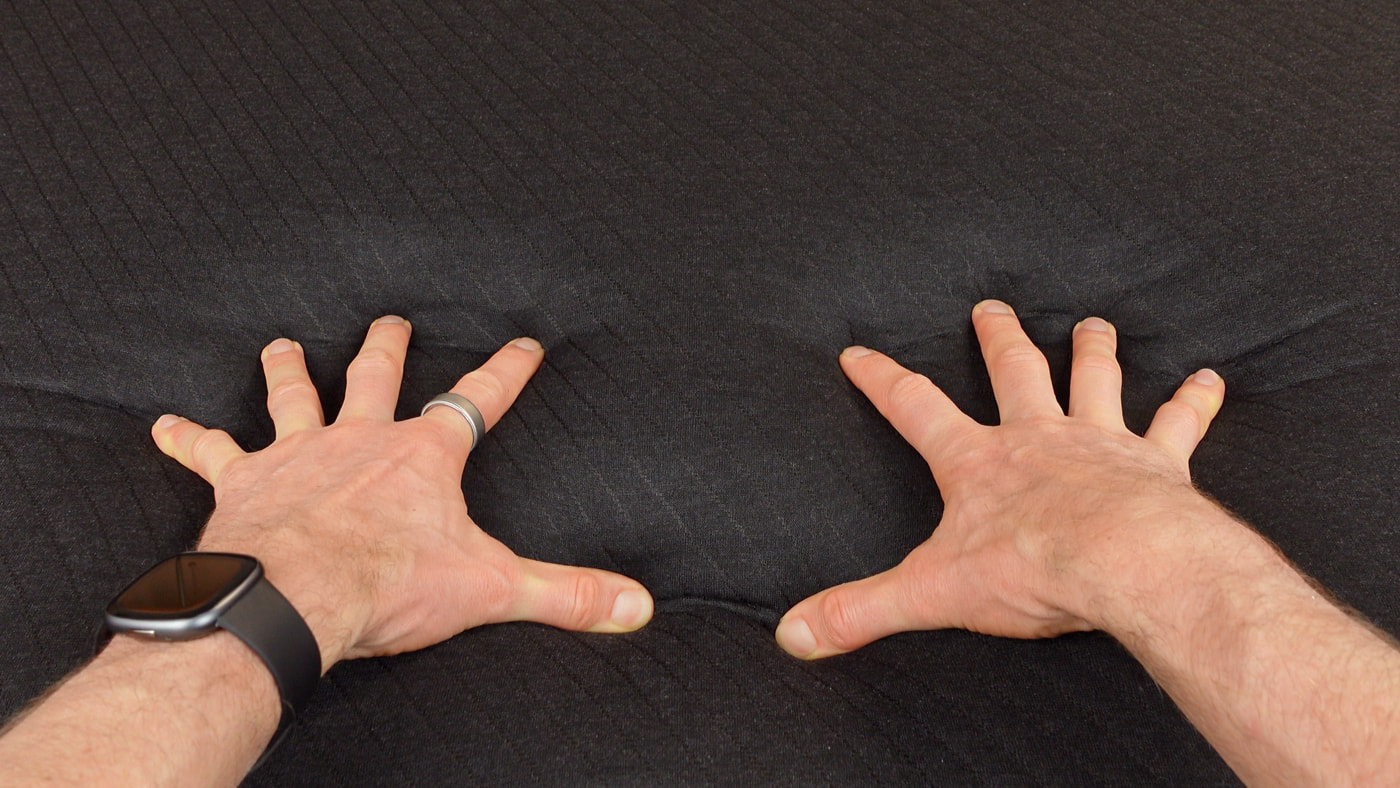
The material of the mattress pad is still fine after eight months. The padding hasn’t compressed, so we still don’t feel the tubes under us, and it’s very comfortable to sleep on.
In the image below, I’m pressing firmly on the mattress pad. You can feel the water tubes if you push that hard, but when lying on the pad, we don’t notice them.
Reliable app (mostly)
The hub and app have also been very smooth and easy to use, and the only problem was caused by an Amazon Web Services outage one day last year, which I’ll discuss in a bit. Other than that, everything has worked really well.
Thermal imaging camera test
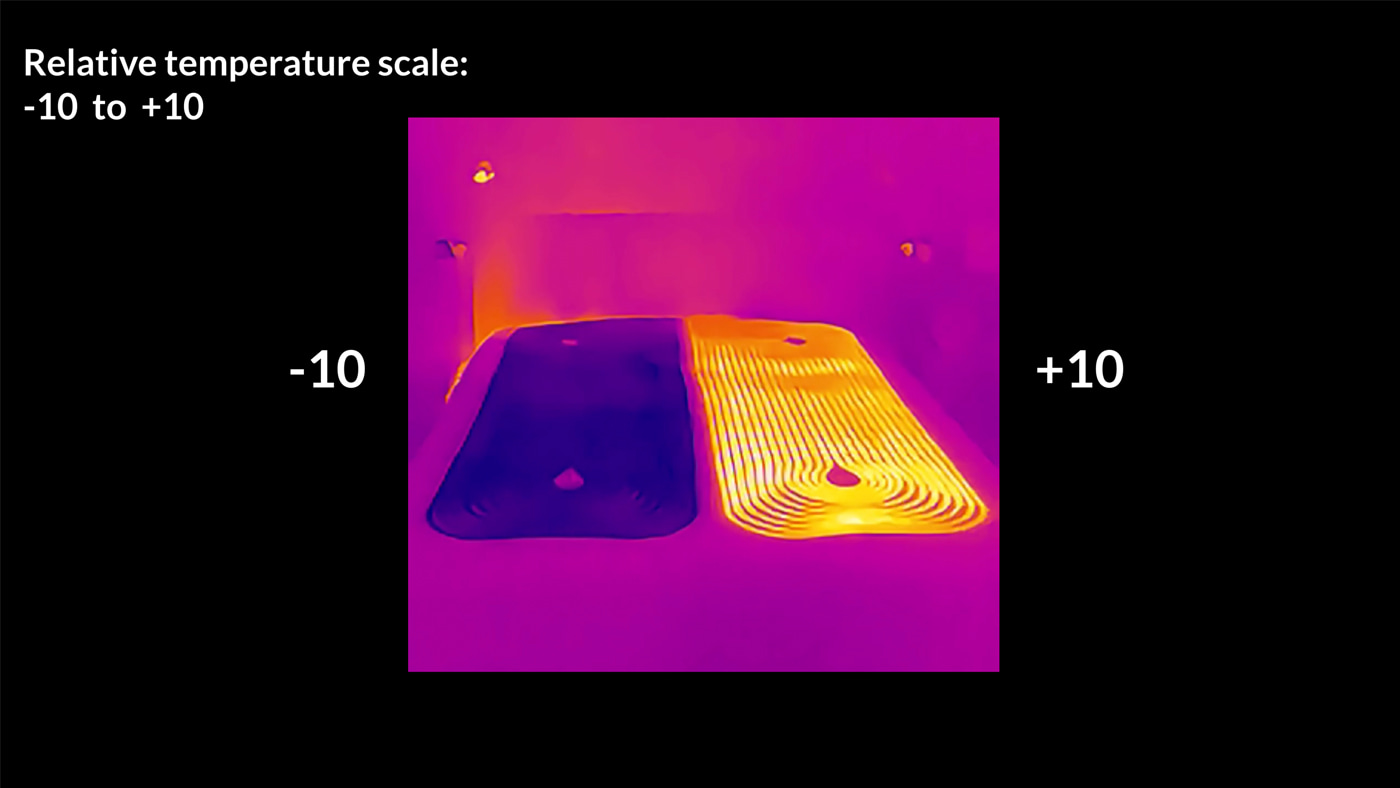
I upgraded my thermal imaging camera to see how the pad looks with the cooling and heating maxed out. You can see in the first recording (above) that the cover can be very warm on one side while staying cool on the other.
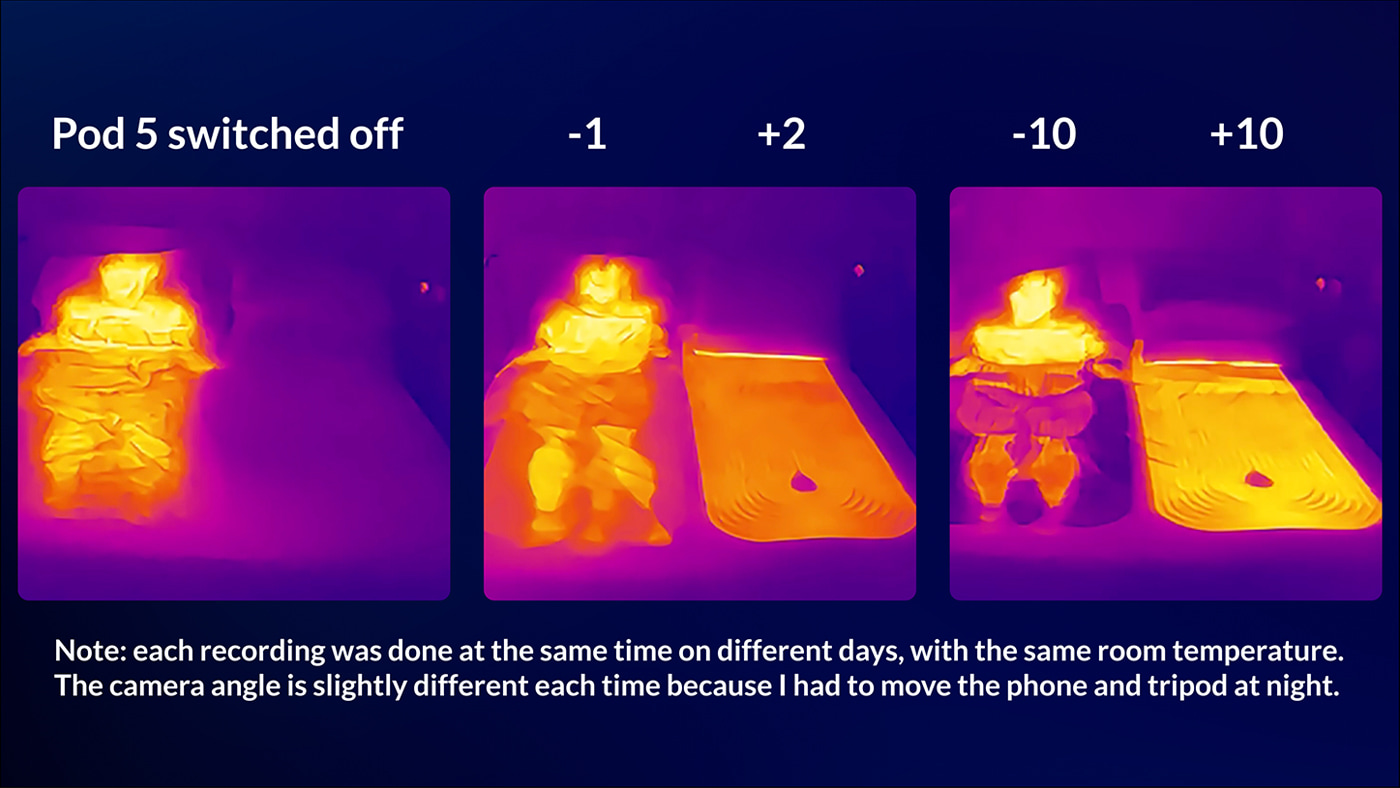
In the next recording (above), I first lay on the bed for an hour with the pod off. You can see the surface of the bed where my body had been is quite warm moments after I get up. Next, I lay on it for an hour with the cooling on minus one, and it’s clearly a bit cooler underneath me than with the pod off. Finally, I lay on it for an hour with the cooling maxed out, and the surface stays even cooler.
(I know I said I wanted to use the Pod 5 naturally without doing tests, but I couldn’t resist the thermal one after buying a snazzy new thermal camera! I wasn’t 100% sure what the best way would be to test and represent the results, so let me know in the comments below if you have any suggestions)
Minimal maintenance
One practical point I’ve really liked is how little maintenance there is to do with the Pod 5. Other than occasional dusting, I’ve only really had to do three things.
I had to top up the water reservoir twice, which surprised me as I expected it to be a bit more frequent. It wasn’t even completely empty both times, but after a few months, I started to think I should probably do something!
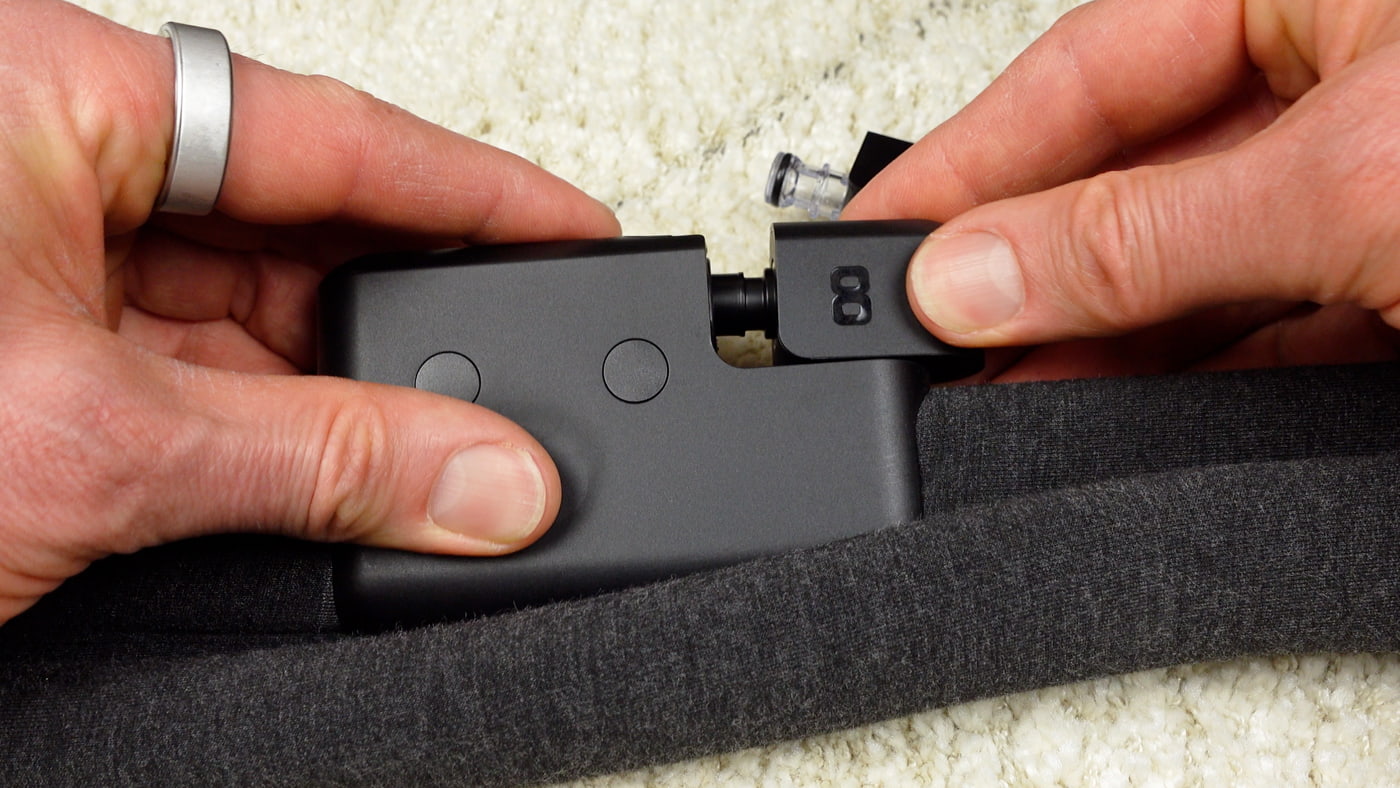
And after six months, they sent me the maintenance insert replacement. They do that every six months, and it was very quick and easy to change over. All I had to do was pop the old one out and clip in the new one.
It took less than a minute to do, and it’s much better than messing around with liquid cleaning solutions. Even though I got used to the more regular and time-consuming maintenance of the Chilipad Dock Pro, for example, it is really nice hardly ever having to think about maintenance with the Pod 5.
Below, you can see that I’ve removed the old maintenance insert and am slotting in the new one.
How we use the heating and cooling throughout the year
I bought the Eight Sleep Pod 5 last year and installed it in early August. Now it’s April, we’ve had a chance to use it in all four seasons, and it’s been equally good in both hot and cold weather. And really, there are probably three main ways that we use it to control the temperature in bed.
Even though we sometimes have the same temperature, I quite often have a bit of cooling while Irene has some heating at the same time, so the dual zones are fantastic.
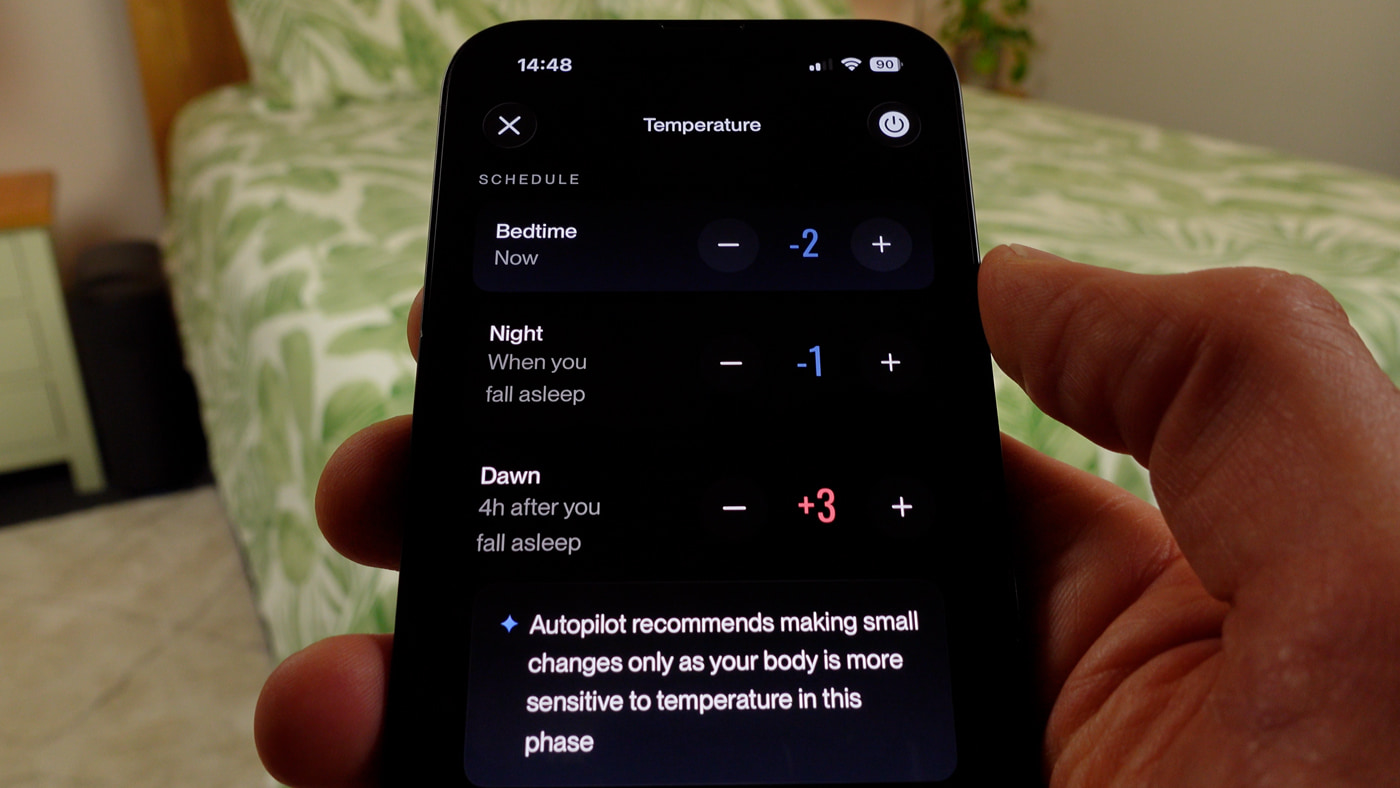
Secondly, when the weather and bedroom temperature are more consistent, it’s nice setting your preferred temperature zones for the night and then just leaving the autopilot to do its thing with small adjustments.
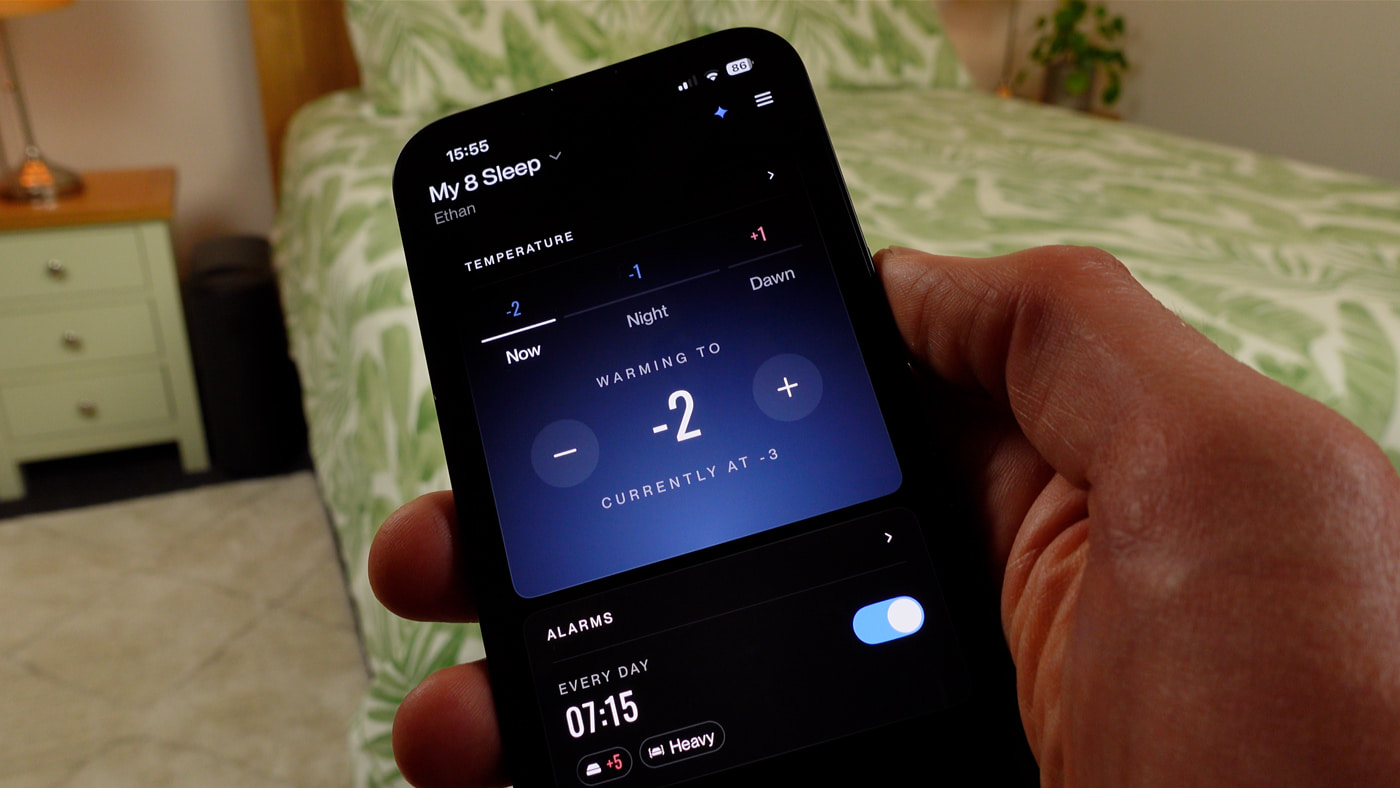
Below, you can see the three main temperature times you can control on the app: bedtime, night, and dawn. There is also an optional thermal alarm, which we sometimes use too.
Thirdly, I like how easy it is to quickly adjust the temperature on specifically colder or hotter nights or if I’ve exercised late, for example, and got into bed just feeling a bit too hot.
One thing I’ve noticed and found quite interesting is how fairly similar temperatures feel very different during the year. For example, on the -10 +10 scale, I often find in the summer that just -1 or -2 is enough to keep me feeling cool. But then in the winter, just 0 or +1 has been enough to keep the bed feeling warm and cozy.
There’s only a few degrees difference between those temperatures. So for me, it’s more the case that it keeps the surface under me at a moderate and comfortable temperature rather than having to max out the cooling or heating. And that’s good because it means lower power consumption and less noise from the fan.
The buttons became one of the best features over time
In my original review, I talked about how much I liked having buttons on the sides of the mattress pad. But actually, over time this has turned out to be one of the best features, and we both use them a lot.
I asked Irene the other day what her favourite things were about the Pod 5, and she said it was the heating, the vibrating alarms, and the buttons. That kind of surprised me because in the beginning she only ever used the app to make temperature changes, and it took me a while to convince her to use the buttons.
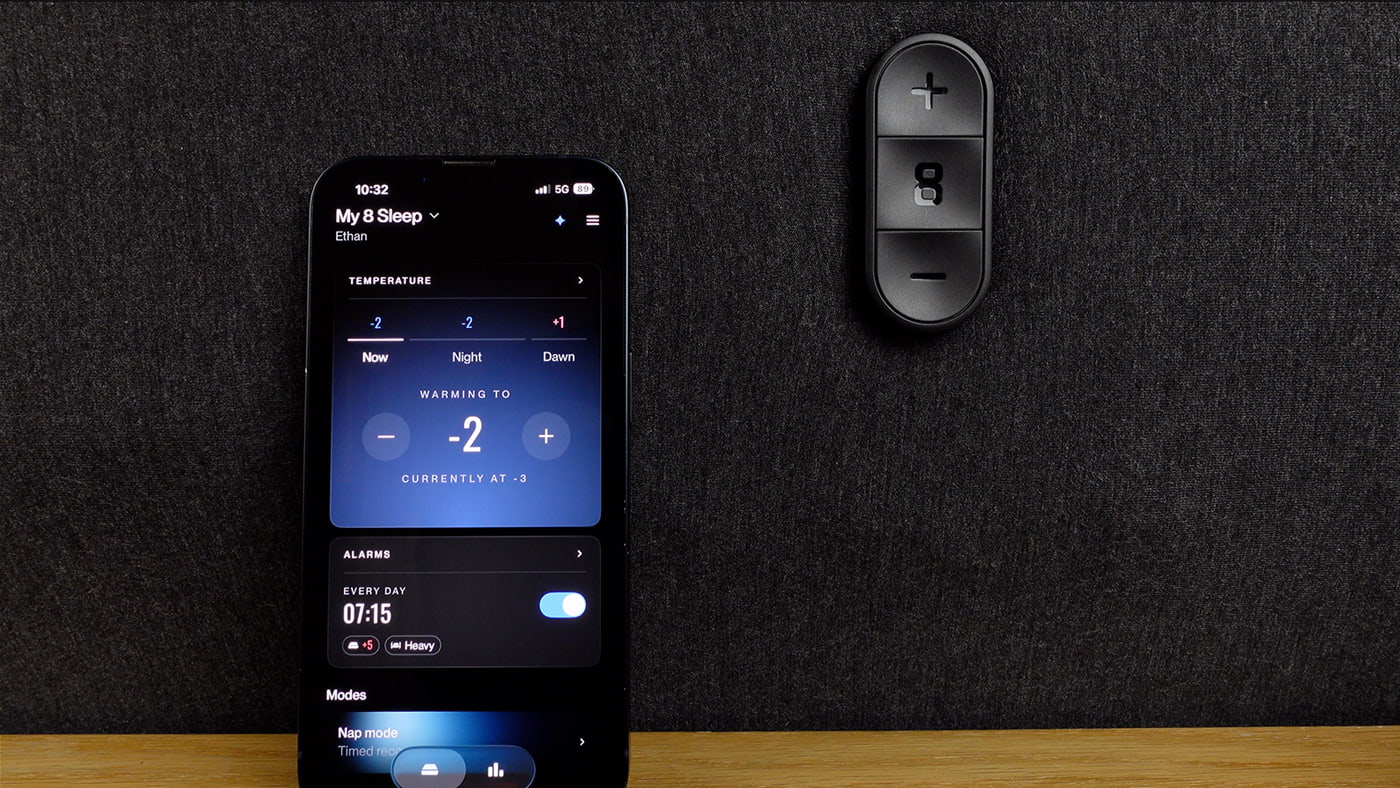
The main benefit is being able to quickly adjust the temperature without needing your phone. For example, if the temperature drops dramatically at night and the autopilot adjustments are too subtle, we can bump it up with a quick button tap or two. And vice versa if we’ve overheated under our thick winter duvet.
Below, you can see the three buttons on one side of the pad. There is an identical set on the other side of the bed. Pressing the buttons will also change the temperature on the app, with a second or two delay. The centre button is used to snooze or turn off the alarm, and can also be set to activate the hot flash mode.
Secondly, it’s great being able to snooze or turn off the vibrating alarm without needing the app. But one change I’d really like to see is a triple tap option, so you don’t have to choose between either snoozing or turning the alarm off, but you could do both.
I was also thinking the other day that it would be really useful to integrate an optional voice announcement so you know what temperature you’ve changed it to if you end up making multiple changes in the night without using the app. Overall though, the physical buttons you can easily reach in bed would make it pretty hard for me to go back to using a bed cooling and heating system that doesn’t have them.
Practical gripes: hub size and water tubes placement
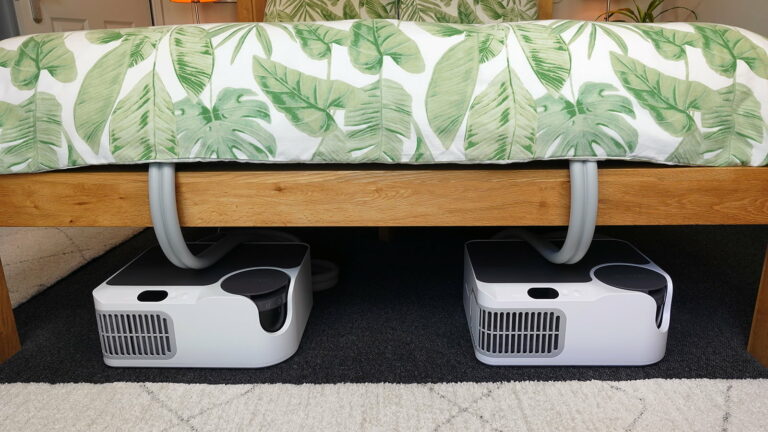
I do have a couple of practical gripes. Firstly, I still wish the hub was shorter so I could get it underneath my bed frame like I did with the Dock Pro and BedJet.
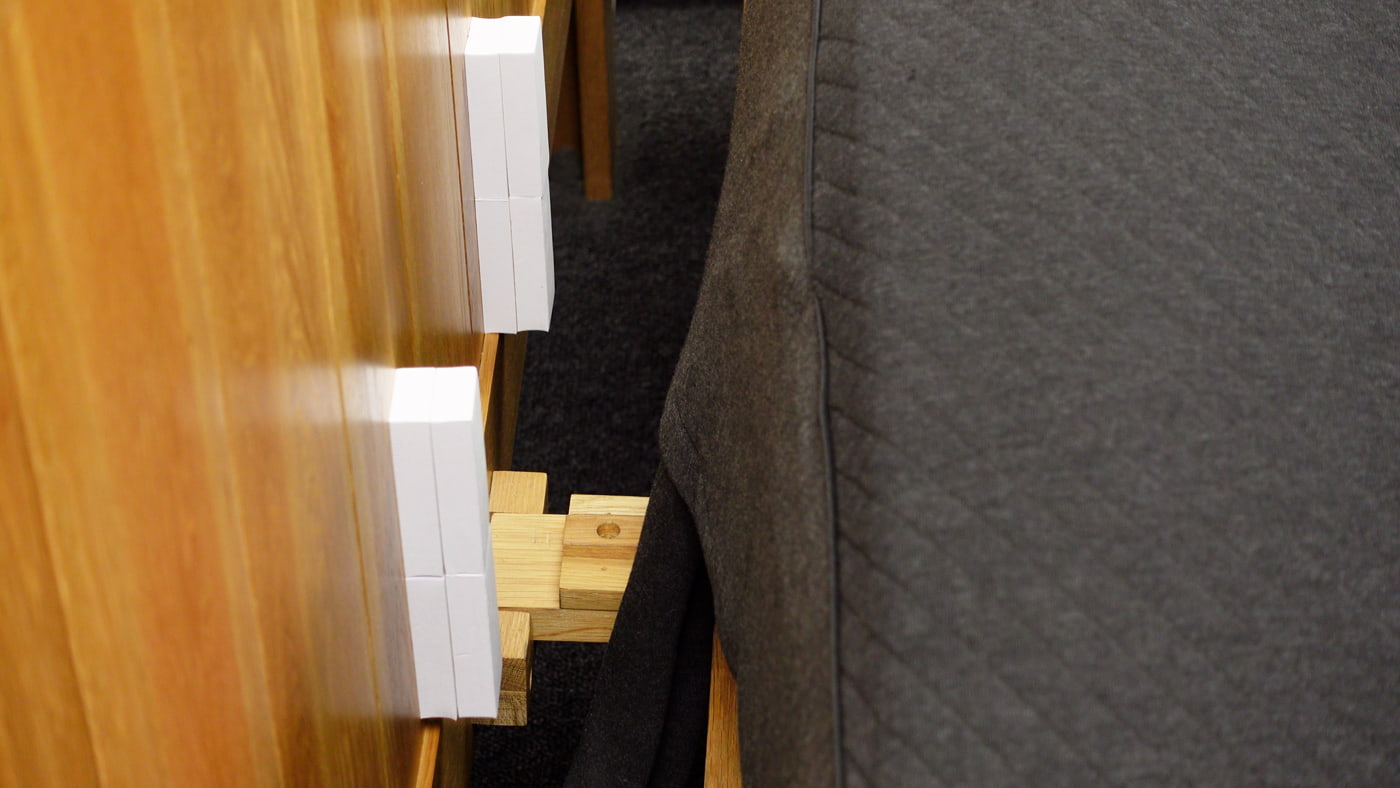
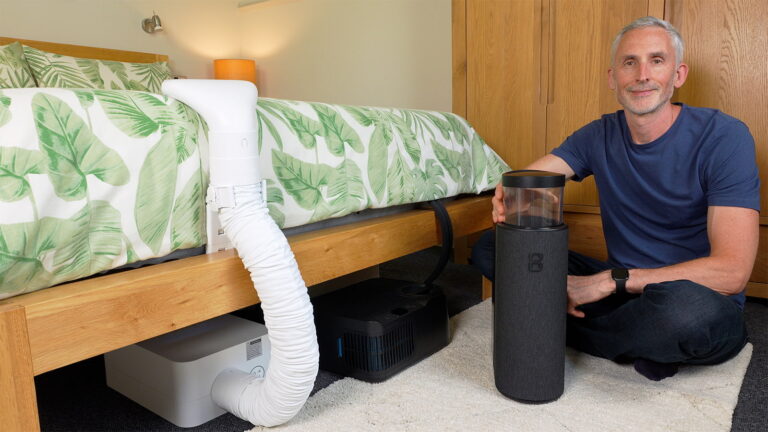
A more important issue, however, is installing the Pod 5 if your mattress meets a solid headboard like mine does, with very little space for the water tubes. I asked the Eight Sleep chatbot about this on their website, which said you should ideally have space for the water tubes to hang freely so they aren’t kinked or compressed. The thing is, my bed frame doesn’t have that space.
In the end I bought a pack of sticky blocks and stuck them onto my headboard to create a vertical channel for the water tubes to drop down. Then when the tubes reach the bed slats, they can drop between those and go to the hub. I’m still not entirely sure if it’s the ideal solution, but it seems okay.
I think Eight Sleep could be clearer about this on their website though. I was thinking they could even add some wedge shapes to the packaging foam that protects the hub as a temporary or even permanent fix.
Below, you can see my DIY effort to prevent the water tubes from being squished.
Consistently quiet fan sound
Another point we’re both really happy about is how quiet the Pod 5 is. The fan obviously makes some noise, but I never hear it when I’m wearing earplugs or headphones. And it doesn’t disturb Irene at all, which is great because she doesn’t use earplugs.
The fan has actually been remarkably consistent over the eight months. In fact, I’m so used to it now that I don’t notice it at all, even when I’m reading in bed.
If you do want the hottest or coldest temperatures, you will need to tolerate a bit more noise though. But in our experience, you can get away with using it all year round on moderate temperatures and only ever hear the fan on its quietest setting.
(To clarify, the second fan tends to kick in when you go below -5 or above +5, which is usually too cold or hot for us anyway.)
How the way I check the sleep data and health metrics has changed over time
As I said at the start, after my first review I really wanted to spend a good chunk of time just using the Pod 5 as naturally as possible. What I’ve found is that even though I always make that the temperature feels right when I go to bed, I just don’t check the sleep and health metrics data in the morning as religiously as I used to.
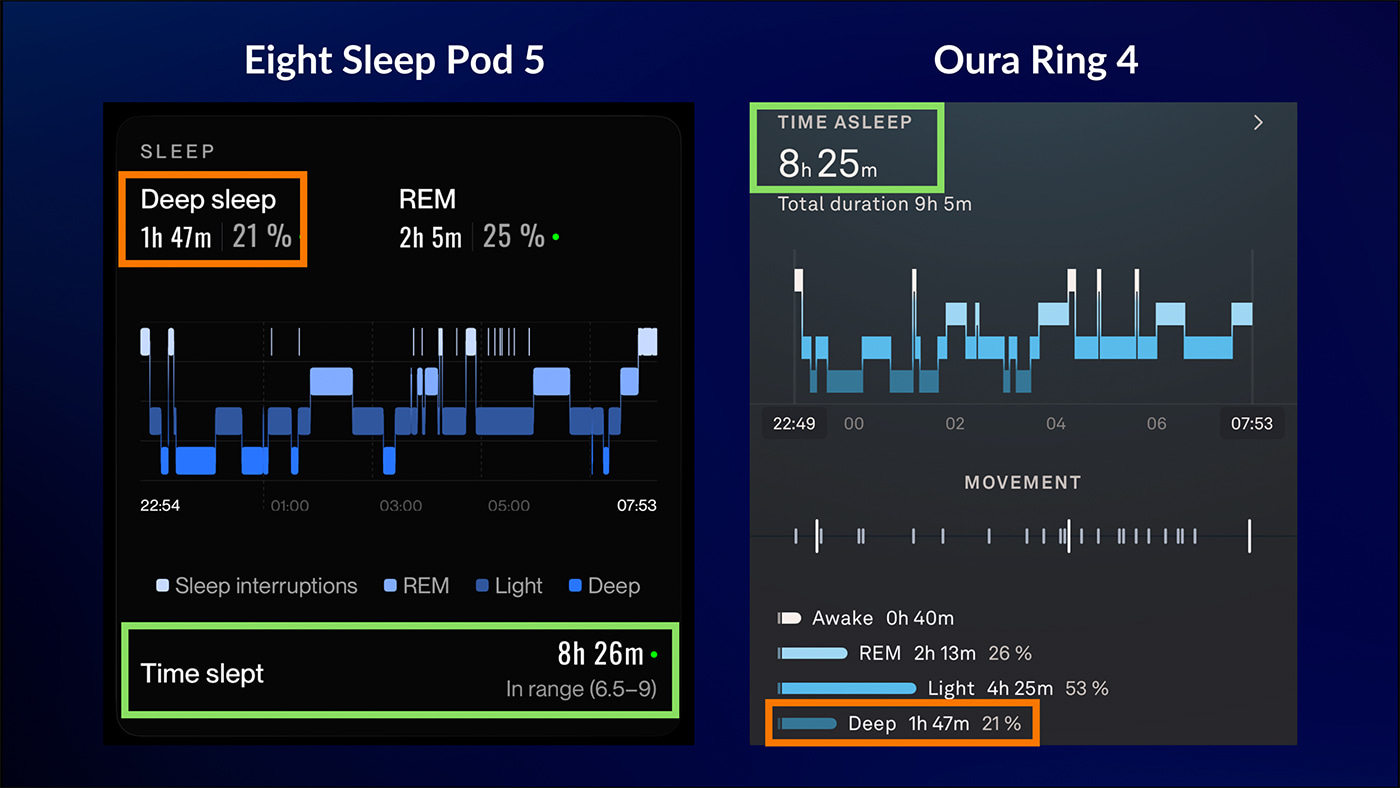
Interestingly, I finally bought the Oura Ring 4, after I accidentally put the 3 in the washing machine! But just like the 3, the 4 often has different sleep data to the Eight Sleep. To be fair, they do sometimes appear to line up quite well, as you can see in the sleep stages graphs below:
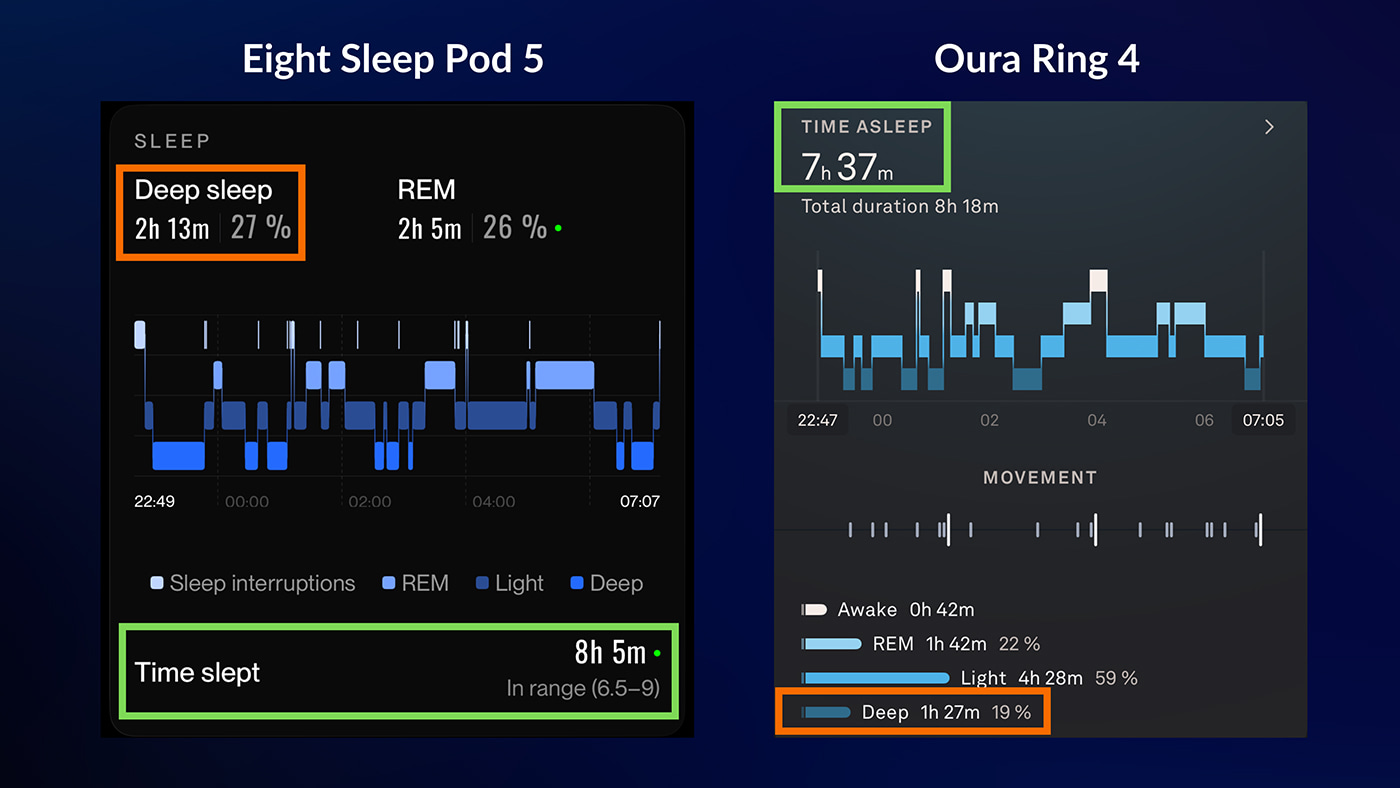
However, they’re often quite different, as you can see in the sleep stages graphs for a different night below:
Now, because I wear my Oura Ring 24/7, and it also takes my daily activity into account, I tend to check the Oura app more frequently. However, I do prefer to check the overall trends on the Eight Sleep app because I find them easier to navigate and a bit clearer.
I also have a bit of a bad habit of forgetting to charge my Oura Ring, which obviously isn’t an issue with the Pod 5 because it’s always plugged in.
Having said all that, if I have an especially bad or an amazing night’s sleep, I quite like to check both apps to see if they agree with those outliers. But honestly, most mornings, if I feel good I don’t bother with either of them and just get on with my day.
(If you’re interested, my Oura Ring 3 still worked after going through the washing machine! However, I felt it would be wrong to assume it wasn’t damaged in any way, especially since I use the data in reviews and comparisons, so I bought the Oura Ring 4.)
Health metrics feature
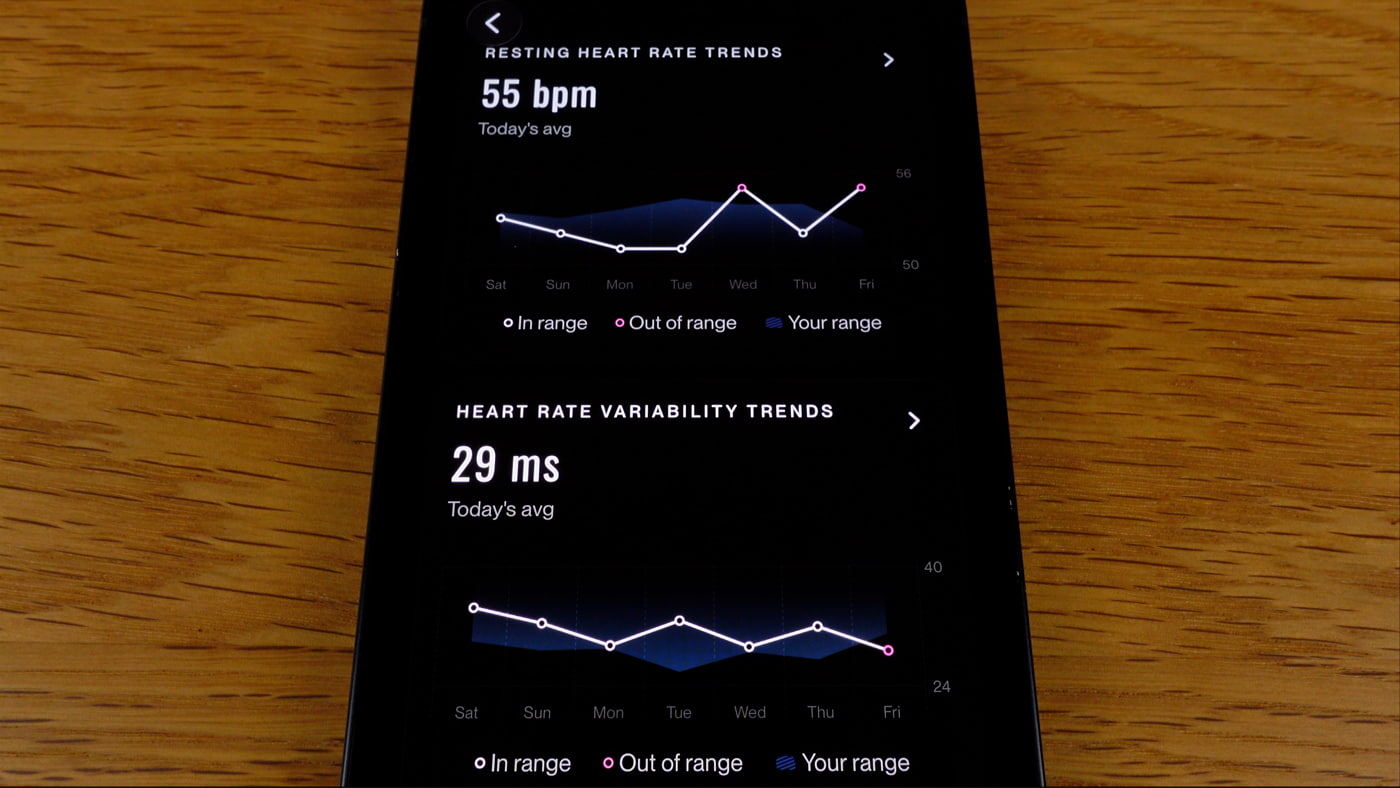
There’s one particular scenario in which I’ll check the Eight Sleep app more carefully: when I’m unwell. I find it interesting to see if the health check feature picks it up, which it sometimes does. But it still bugs me that the feature is hidden behind the elite subscription tier.
I rarely get respiratory or cardio disturbances, fortunately. As you can see on the app in the photo below, it’s usually the health trends outliers of heart rate and heart rate variability that get flagged in the health check if I’m unwell or a bit run down.
Dependence on the company for the Pod 5 to work
One of my biggest criticisms previously was about the subscription model. But there are a couple of extra points I want to make about the dependency you’ll have on the company.
Firstly, last October, there was a massive Amazon Web Services outage which affected many companies from Netflix to major banks. Eight Sleep Pods also temporarily froze because they were reliant on the cloud.
The good thing is that Eight Sleep quickly rolled out a Bluetooth offline mode, which is great, but it did highlight the dependency on the company and app for the system to work.
And that got me thinking, what would happen to my pod if the company ceased to operate?
To find out, I patiently interrogated their chatbot and support, and eventually they confirmed that the app and pod would no longer work. So not only do you have to pay an ongoing subscription on top of the initial cost, you also need Eight Sleep to keep the entire system working and send you the six-monthly maintenance inserts.
I think it’s important to understand then that buying a Pod also means buying into the long-term success of the company. I should add at this point that I have no reason at all to believe that Eight Sleep won’t be around for a long time to come. And to be fair, it’s the same with a lot of smart tech. For example, if something happened to Oura, I’m pretty sure this ring would end up in a cupboard.
Then again, one of the alternatives I talk about a lot – the Chilipad Dock Pro – does at least have the very basic heating and cooling available without Bluetooth, Wi-Fi, or an app installed.
Final thoughts
Overall then, the Eight Sleep Pod 5 has gone from being new sleep tech that I keep a very close eye on to a core part of our bedroom and sleep, and something that just works well in the background without needing constant attention.
We both definitely miss it when we’re on holiday or visiting family – especially me. Or as Irene put it, I’ve become addicted to bed cooling and I moan when I don’t have it, which is a fair point. But the thing is, the bed cooling and heating, those dual zones, are so good and so reliable that even if there was no sleep tracking and health metrics data, I’d still be very happy with it.
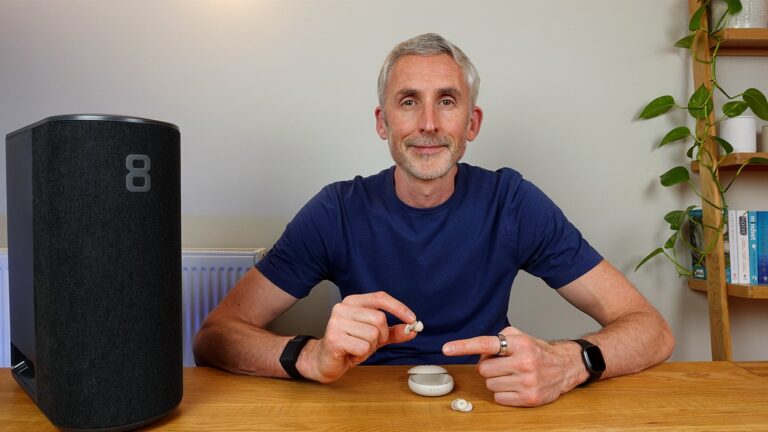
And features like the vibrating and thermal alarms, the physical buttons, the quiet fan, and the minimal maintenance all give it an edge over the other cooling and heating systems I’ve used.
The main downsides are still the bulky hub, the price and subscription, along with the cloud and company dependence.
By comparison, I still think the Chilipad Dock Pro is a good alternative for people who just want the bed temperature control without the extra smart ecosystem or subscription fees. The BedJet 3 is also a good option, especially if you have night sweats or want a system you can easily move from place to place.
However, in terms of functionality and all-round comfort, I think the Pod 5 Core is the better system. And honestly, when the day inevitably comes that I feel that I should really get around to testing a new cooling and heating system for my website and YouTube channel, I’m definitely going to be a little bit sad because if I didn’t do that, I’d keep using this one for a long time to come.
If you have any questions, let me know in the comments below. It’s always good to hear from you. Thanks for watching and/or reading. Sleep well.
Availability
The Pod 5 is only available on the official Eight Sleep website. They currently ship to the US, Canada, Mexico, UK, Europe, Australia, UAE, Bahrain, Kuwait, Saudi Arabia, and Singapore.
Update 1: Name change
When I filmed both of my Eight Sleep Pod 5 videos, I referred to it as the Pod 5 Core. It used to be that the main system was called the Core, and then the system with the adjustable bed base was called the Pod 5 Ultra.
I don’t know why they changed the terminology, but now it’s just the Eight Sleep Pod 5. The base, the cooling blanket, and cooling pillows are all optional add-ons.
Update 2: Morning app reports
One of the best updates to the app this year was the addition of a brief plain-language summary of the key takeaway from your previous night’s sleep on the app when you open it up in the morning.
You can see an example of one of my sleep reports in the photo below:
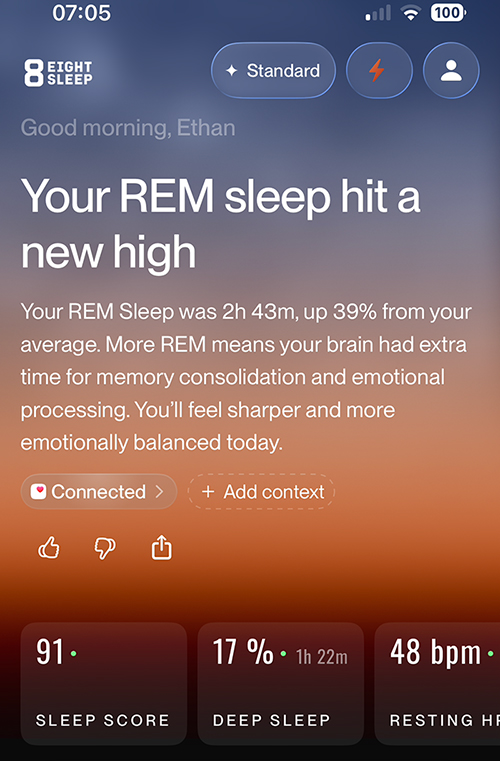
It used to be that you had to look through all the data and graphs to understand how you had slept beyond the basic timings and health metrics.
But now the system picks out one or two key points and writes it on the home screen in easy to understand language. For example, telling you that your total deep or REM sleep was a percentage above your normal.
Irene and I both really like this feature as it saves time and give you the sense that you’re getting at least one of the more important points about your sleep, along with how you might feel the next day because of it.
Update 3: Competitive sleeping with the leaderboard and sleep streak
Two more app updates introduced an element of competitiveness to your sleep.
I like the sleep streak as it simply encourages me to pay attention to my sleep and feels rewarding when I see the number go up.
Below, you can see an example of our leaderboard and my personal sleep streak.
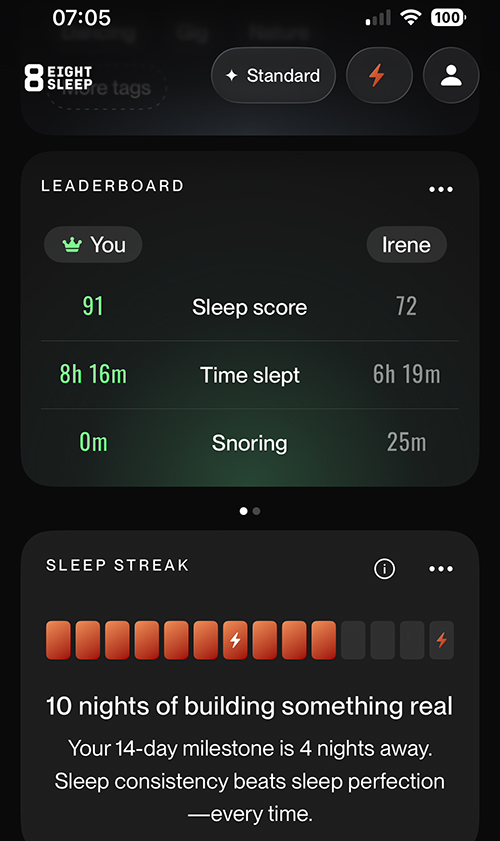
However, we both hate the leaderboard idea. We just don’t see any positive benefit in giving us a reason to feel like we slept ‘better’ than our partner.
Maybe some couples would find this beneficial and motivating to get more sleep. But for us, it’s a silly idea as getting enough sleep can be stressful enough already without being made to feel that you’re losing at it!
On the plus side, Eight Sleep continues to innovate with the app and sleep reports, and I guess you can’t please everyone. The important thing is that they continue to be creative with ways to present the data and encourage people to pay attention to their sleep.
What type of foam blocks did you use to create the channel for the water tubes and where did you purchase them?
Hi Jon,
They were called ‘foam headboard bumpers’ and I got them on Amazon. They are sometimes called foam furniture stoppers as well. If you search with those terms you should find them.
Regards
Ethan