

Disclosure: My website is reader supported. If you purchase a product after clicking a link, I may receive a commission, at no extra cost to you. Learn more.
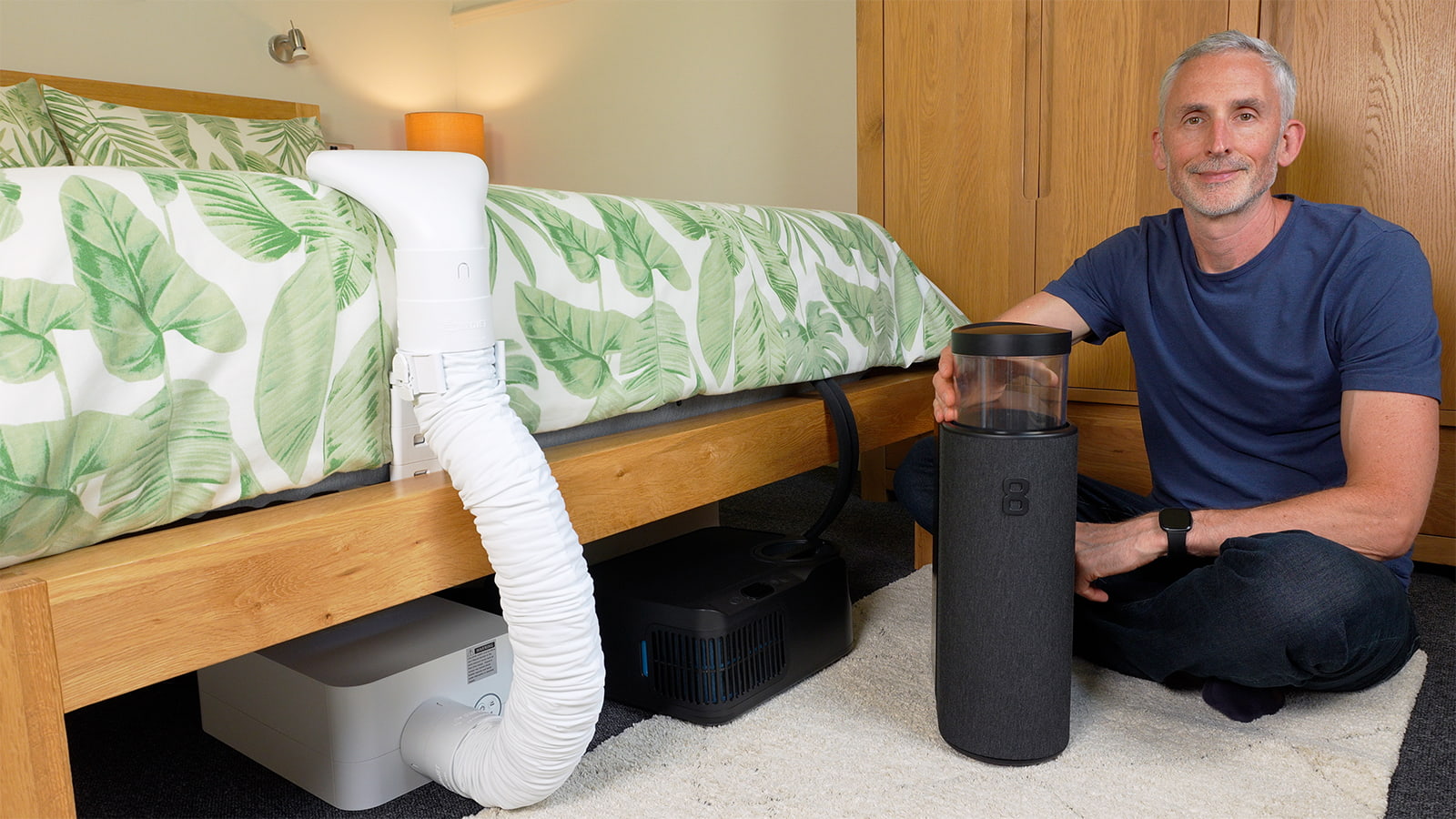
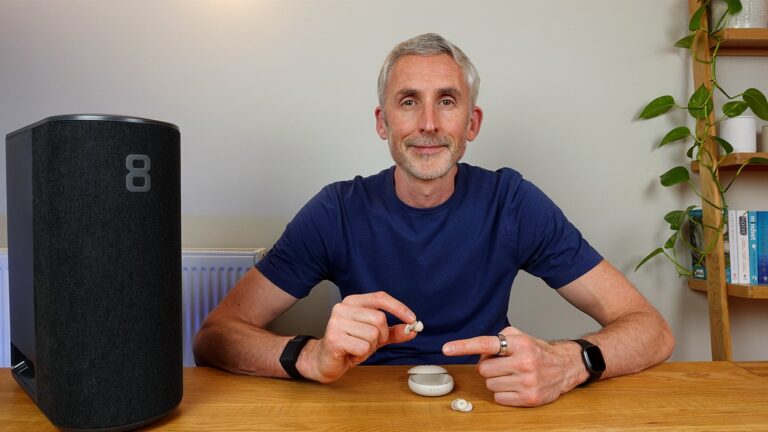
In the photo above, you can see three of the bed cooling systems I’ll be discussing in this article. From left to right: BedJet 3, Chilipad 2.0, Eight Sleep Pod 5.
Contents
It’s not easy to fall asleep when sweat is rolling off you in the fabric sauna your bedroom has morphed into.
As a hot sleeper myself, I’ve tried a wide range of cooling products in the 14 years since I started this website, with varying degrees of success.
In this article, I’ll be discussing the active bed cooling systems that I’ve most recently used and found to be very effective in warmer weather, along with a semi-active budget option. I’ll also cover a couple of passive cooling/breathable mattress pads for comparison.
If all you want is a cooler surface to fall asleep on, a more breathable mattress pad or topper might be enough. But if you need powerful and programmable cooling that lasts all night, one of the active bed cooling systems is likely to be a better choice.
In the photo below, you can see the semi-active Adamson B10 (second on the left), compared to the fully active BedJet 3, Chilipad 2.0, and Eight Sleep Pod 5.
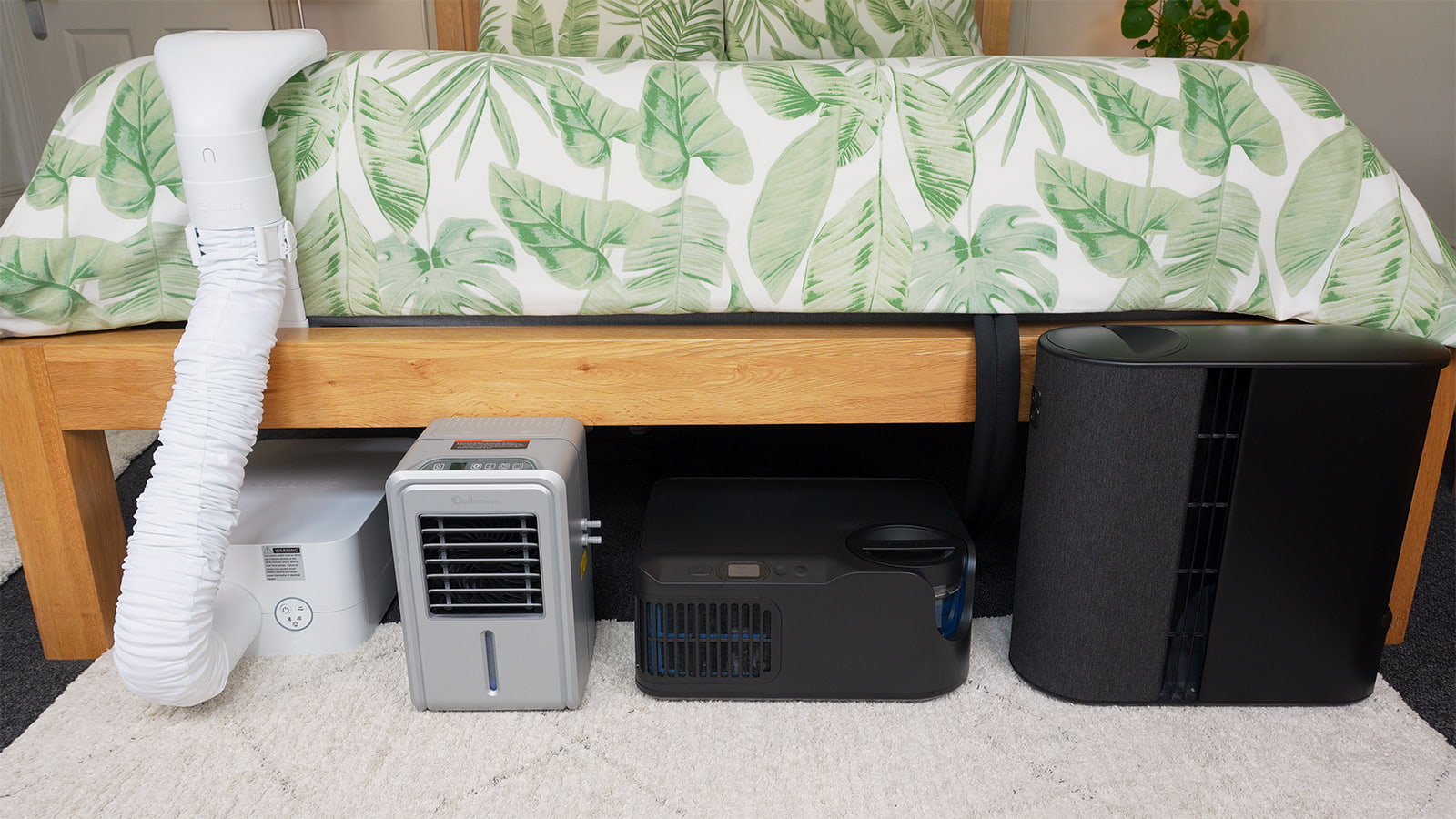
Overview of the cooling mattress pads and systems
Eight Sleep Pod 5
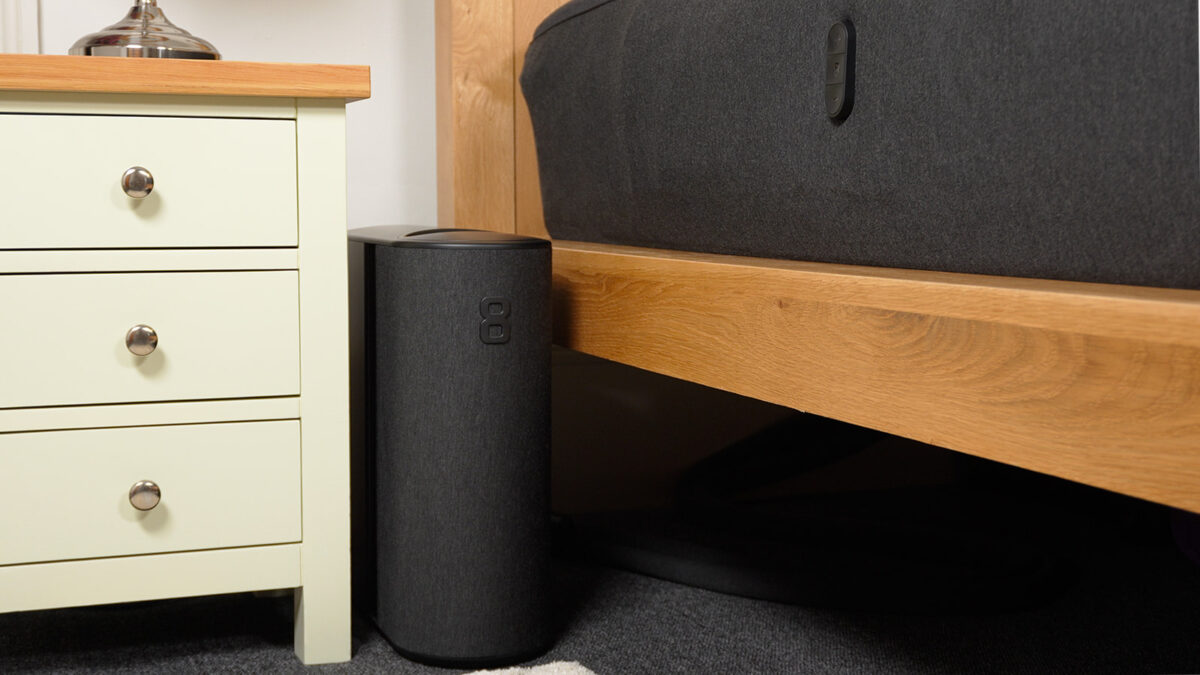
Type: Active cooling with water
Price: $$$$
In: US, Canada, UK, Europe, Australia, UAE, Saudi Arabia, Qatar, Bahrain, Singapore, Mexico, Kuwait.
The Eight Sleep Pod 5 is the most advanced of the bed cooling systems, and the company’s latest model.
We used ours in both very hot and very cold weather, and loved how well the dual zones kept us cool or warm when needed. The plush mattress pad and physical buttons were excellent upgrades to the Pod 3, which we used for over a year.
The Pod 5 cools you with water running through a high-quality mattress pad. The sleek, user-friendly app lets you set temperatures from 55–110 °F (13–44 °C) on each side of the bed. You can also set daily schedules and customisable thermal and vibrating alarms.
There’s an AI-powered Autopilot feature that makes real-time adjustments based on your current sleep stage, previous sleep data, and weather to keep you comfortable throughout the night.
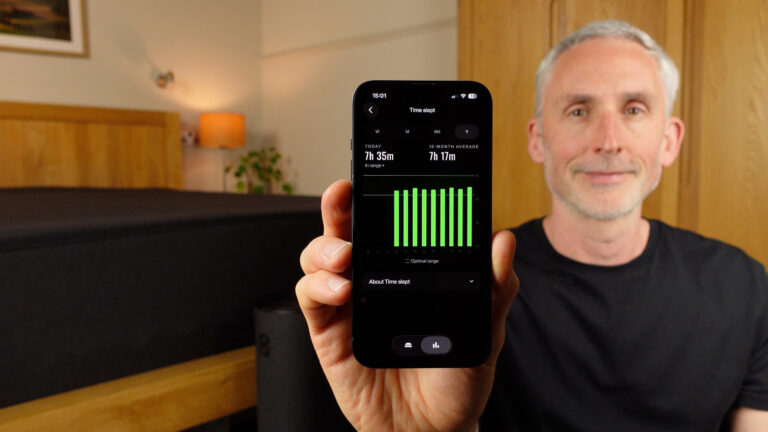
The sleep and health tracking is fascinating and useful, especially the trends over time. And the app gives you a written summary of your sleep and health data every morning.
It needs minimal maintenance – I only had to top up the water reservoir every few months, and they send you maintenance inserts every six months so you don’t need to source cleaning chemicals.
The main downside is the price. It’s the most expensive system and requires an annual membership. The fan also makes some noise, but it’s very quiet on the moderate settings we typically use.
There are several extras you can get, but we found the core system works perfectly well on its own and keeps the overall cost down.
Chilipad 2.0
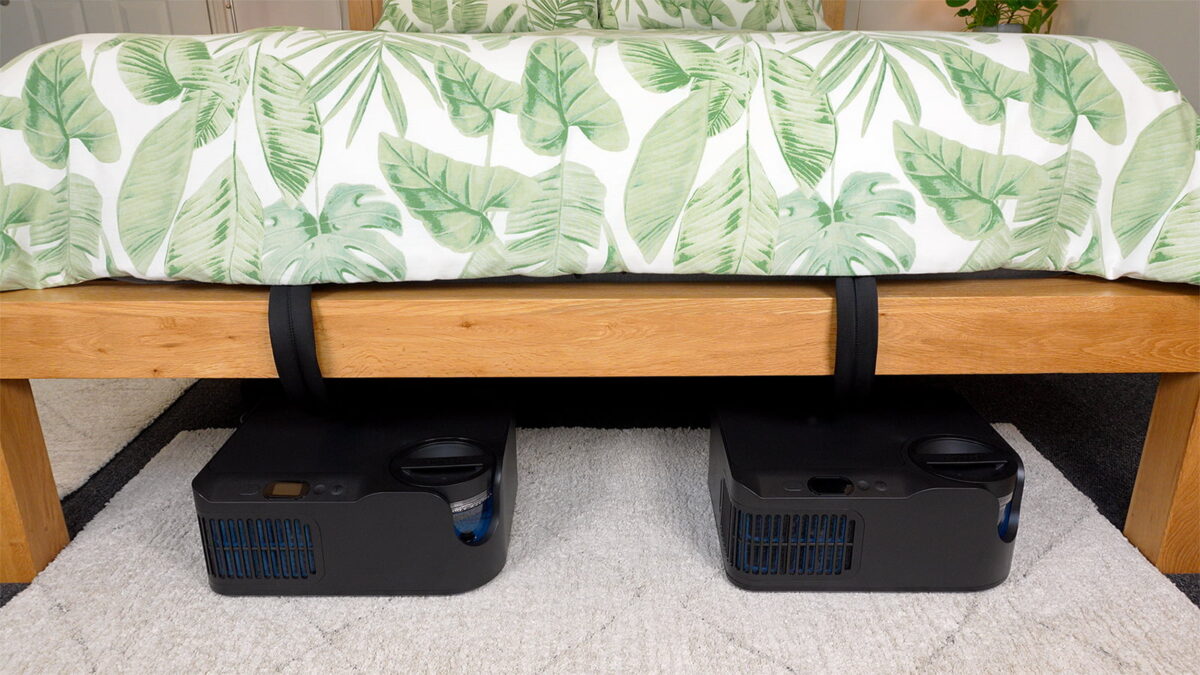
Type: Active cooling with water
Price: $$$$
In: US only
The Chilipad 2.0 is the best alternative to the Eight Sleep I’ve tried, with a great balance of price, performance, and ease of use.
It cools and heats just as effectively, with a wide temperature range of 55–115 °F (13–46 °C). I find it can get very cool, very quickly, and does so across the entire surface.
Like the Eight Sleep, there’s a dual-zone option, so you can cool and heat each side independently. The app lets you program temperature changes for different points in the night, as well as setting a thermal alarm.
We used the Chilipad 1.0 for around a year, and one of the best upgrades with the 2.0 is the superb remote control for the bedside table. It means you can change the temperature in the night without needing to use the app, and unlike the Eight Sleep’s physical controls, it actually tells you what the current temperature is.
What I also like is that the initial price is lower than the Pod 5 and there are no subscription fees, making it arguably better value for money than the Eight Sleep in the long run.
The main downsides compared to the Eight Sleep are the need for two units under or next to the bed, separate power outlets for the remotes if you want to use them, and more regular maintenance. The fan makes a bit of noise, but it’s a soft sound and doesn’t disturb our sleep.
Keep in mind that there’s no sleep tracking or AI involved – the focus is on the temperature control alone. So the Chilipad 2.0 is one for those whose main need is cooling (or heating) rather than integrated sleep and health tracking.
It’s only available in the US, but if you do live there and you need a reliable way to keep your bed cool, it’s an excellent choice.
BedJet 3
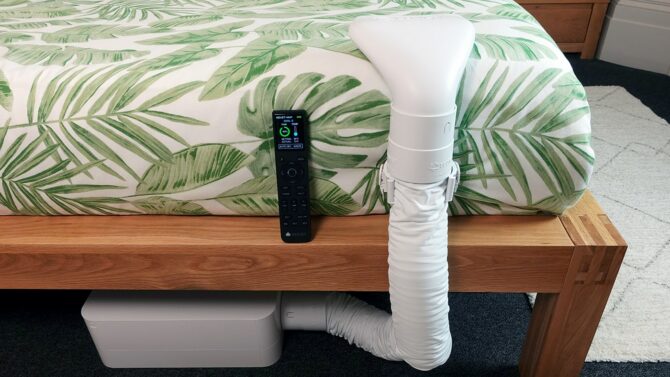
Type: Forced air flow
Price: $$$
In: US, Canada, UK, parts of Europe, Australia
The BedJet 3 is a bed cooling system that uses forced airflow rather than water.
I found it great for managing sweat at night, and I like how you can either target the air at your feet, blow the air up the centre of the bed for a wider effect, or use the BedJet boxed cloud sheet to keep it to one side only.
There’s an advanced remote control as well as an app to adjust the fan speed and temperature, with a range of 66–104 °F (19–40 °C).
It’s a good option if you enjoy the feel of air flowing over your body and prefer not to install a mattress pad on your bed. There’s also a dual-zone version that lets you have cooling on one side of the bed and heating on the other at the same time.
Just be prepared for a fan sound, which is pleasant on lower fan speeds, but turns into a white noise machine once you start to ramp it up. And the cooling is less effective than the Eight Sleep Pod 5 or Chilipad 2.0, especially if the air in your bedroom is very hot.
Three other points I like are that it requires minimal maintenance, there are no subscription fees, and it’s very robust. I used mine for several years and had no problems with it whatsoever.
Adamson B10
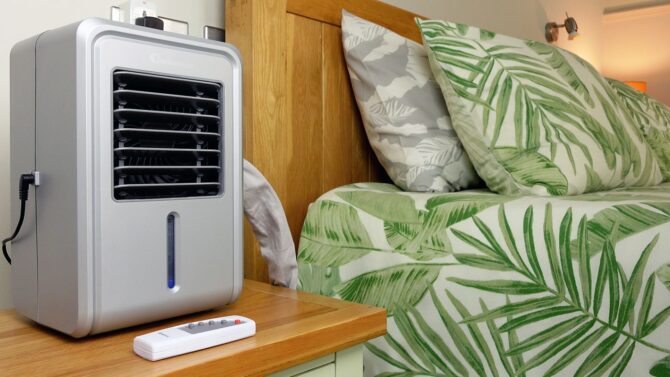
Type: Evaporative cooling
Price: $$$
In: US, UK, Canada, parts of Europe
The Adamson B10 bed cooling system works with evaporative cooling rather than actively cooling the water in the mattress pad like the Eight Sleep or Chilipad do.
It’s capable of reducing the temperature of the mattress pad by a few degrees, but it’s far less powerful than the others and lacks the option to choose a target temperature.
I tested it for a month to see if it was a viable low-cost alternative. While it does provide moderate cooling, the need to place it on a bedside table, the noise, and the open water system that can potentially overflow made me stop using it and go back to a more advanced system.
So although it may be worth trying if you’re on a tight budget, I think anyone who has previously used a more advanced active cooling system will notice the drop in performance from an evaporative system like the Adamson.
Slumber Cloud Performance Mattress Pad
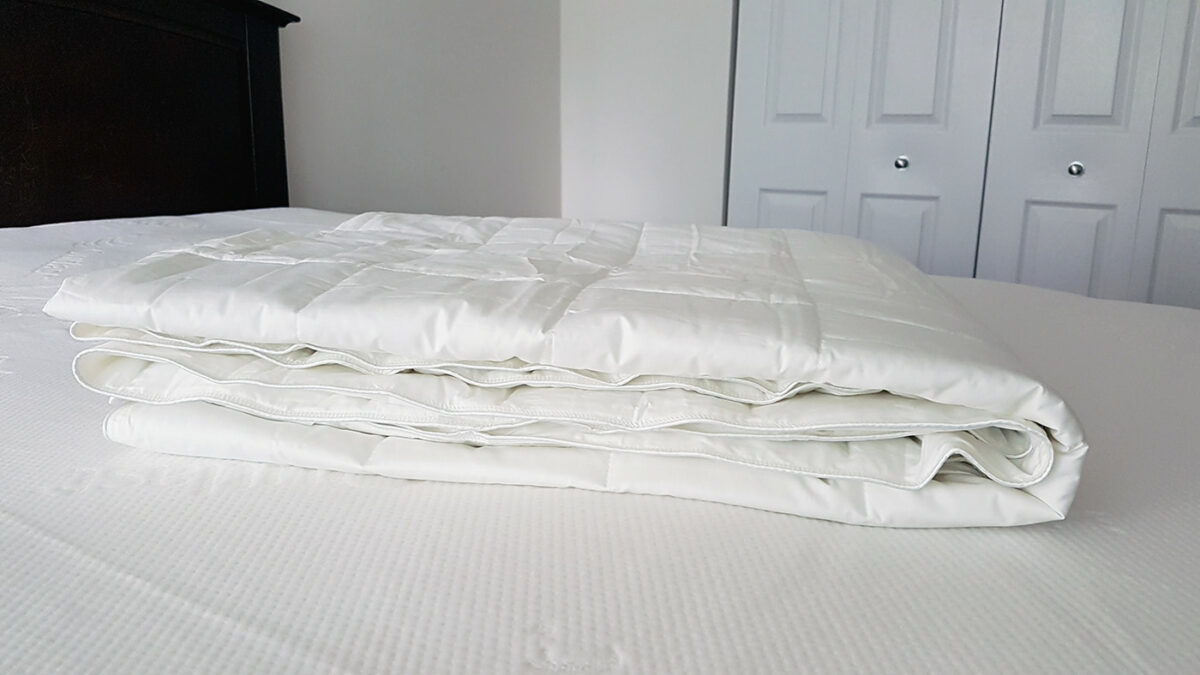
Type: Passive
Price: $$$
In: US, Canada
The Slumber Cloud mattress pad is designed to absorb your body heat and wick away moisture. Using the temperature regulating ‘Outlast’ material that was originally designed for NASA, it might be a good option if you just want a fabric mattress pad that feels cooler rather than one you need to plug in.
Just be aware that it has its limitations – if you stay in one position all night, your body heat will eventually win the battle. It’s still a good choice though as I’ve found the material feels cool for much longer than most standard mattress pads I’ve used.
Lucid Gel-Infused Memory Foam Mattress Topper
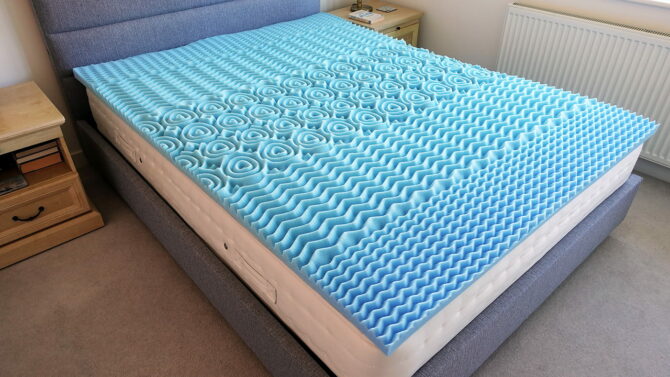
Type: Passive
Price: $$
In: US, Canada, UK, parts of Europe
Memory foam toppers often feel warm, but those with a gel-infused design are potentially a bit more breathable, while still providing the soft cushioning they are known for. I keep the Lucid memory foam topper in the spare room and have slept comfortably on it in relatively warm weather.
The gel beads help absorb some body heat, and the five-zone construction with ridges provides a bit of natural ventilation. I’ve found it feels slightly cooler than dense ‘slabs’ of memory foam, so it could be one to try if you prefer a softer sleep surface and are on a tighter budget.
However, keep in mind that your body heat will still accumulate over time and make it much warmer than an active cooling pad, especially if you can’t roll onto a cooler section when needed.
So really, I’ve only included it so I can share how it compares with traditionally very warm memory foam mattress toppers, not because it’s in any way capable of matching the effectiveness of the bed cooling systems.
Comparison tables
Table 1: Ratings
In table 1 below, you can see how I rate the bed cooling systems and mattress pads out of 10 in key areas: cooling effectiveness, comfort, installation, and maintenance.
The blue links will take you to the company’s website, apart from the Adamson and Lucid, which lead to Amazon.
| Product | Cooling Effectiveness | Comfort | Installation | Maintenance |
|---|---|---|---|---|
| Eight Sleep Pod 5 | 10 | 9 | 8 | 9 |
| Chilipad 2.0 | 10 | 9 | 8 | 7 |
| BedJet 3 | 7 | 10 | 9 | 9 |
| Adamson B10 | 5 | 8 | 8 | 7 |
| Slumber Cloud | 5 | 9 | 10 | 9 |
| Lucid | 4 | 9 | 10 | 8 |
Notes on the points I considered when scoring them:
Cooling effectiveness: Based on how cool it can get and if it stays cool all night.
Comfort: Whether the pad feels comfortable, based on my preference for a medium firmness surface.
Installation: The setup process on day one, including how complex, heavy, and time-consuming it is.
Maintenance: How often you need to add water, clean it, or wash it, and how easy those are to do.
Table 2: Key features
In table 2 below, you can compare the temperature range, the option to have dual zones if you share your bed, whether they make noise, and whether there’s a subscription fee in addition to the initial cost.
| Active or passive cooling | Programmable Temperatures | Dual-zone Option | Silent | Ongoing membership | |
|---|---|---|---|---|---|
| Eight Sleep Pod 5 | Active | 55–110 °F 13–44 °C | ✔ | X | Yes |
| Chilipad 2.0 | Active | 55–115 °F 13–46 °C | ✔ | X | No |
| BedJet 3 | Active | 66–104 °F 19–40 °C | ✔ | X | No |
| Adamson B10 | Semi-active | Fan speed only | X | X | No |
| Slumber Cloud | Passive | X | X | ✔ | No |
| Lucid | Passive | X | X | ✔ | No |
The cooling pads and systems in detail
1. Eight Sleep Pod 5
The most advanced bed cooling system, with a water-cooled mattress pad, sleep and health tracking.
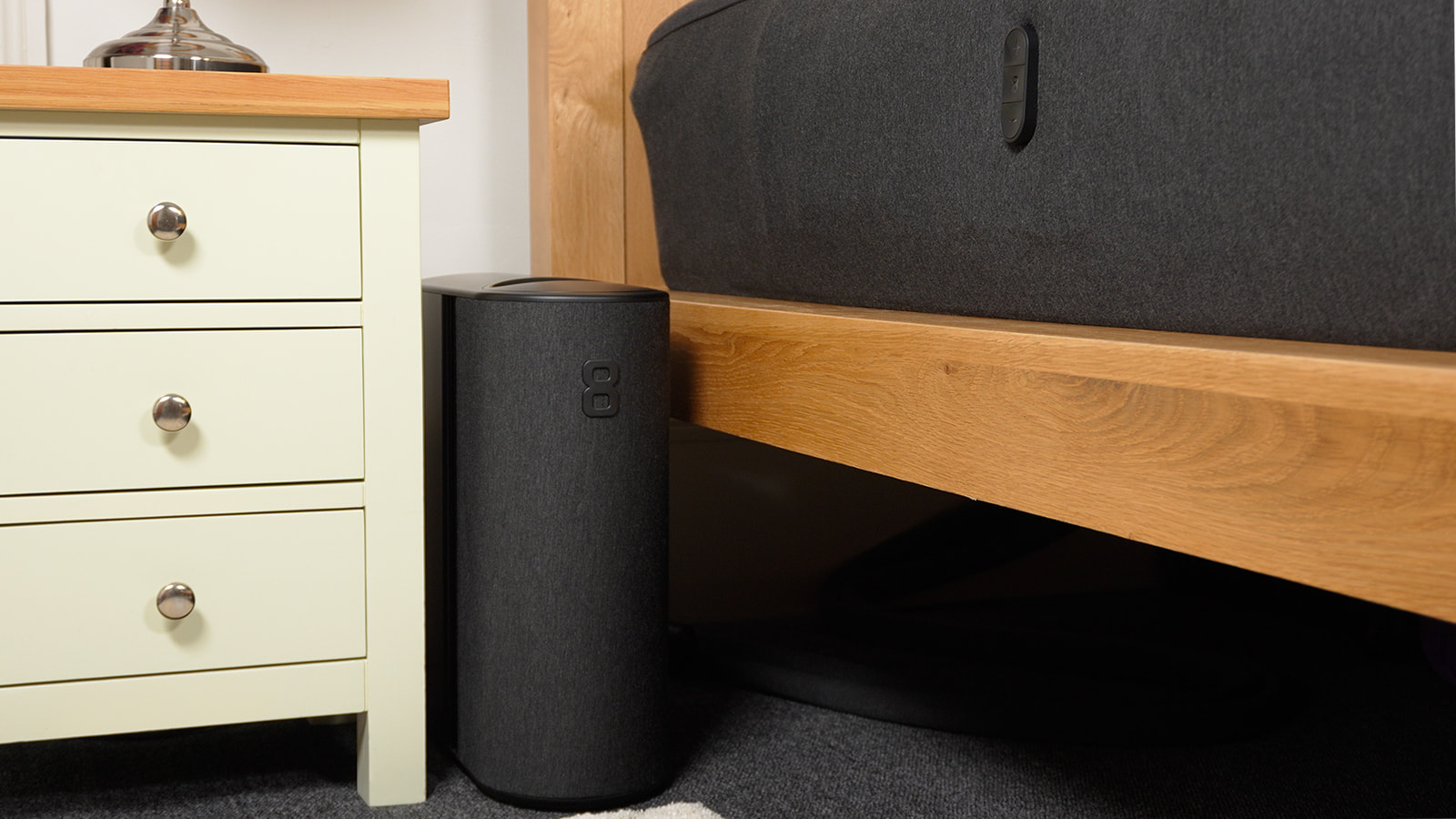
In the photo above, you can see how I set up the Pod 5 in the bedroom. It was quiet enough on our usual moderate settings that it didn’t disturb my sleep even when the hub was right next to my side of the bed.
The Eight Sleep Pod 5 Core is the most high-tech bed cooling system we’ve tried. I bought it in the summer of 2025 and we used it for a year up until recently. It’s still the company’s latest model though – they seem to be focused on software and app upgrades this year rather than releasing a new model.
I switched it out for the Chilipad 2.0 a few weeks ago so I can test another alternative and share how it compares on my blog. However, there are several things we miss about the Pod 5.
Over the time we used it, we both loved how the Pod 5 gave us independent control of the temperature on our respective side of the bed as the seasons and bedroom temperature changed.
I particularly like how with just the one hub unit I could cool my side while she simultaneously warmed hers. By comparison, the Chilipad 2.0 and BedJet 3 both need two units and power outlets if you want dual zones.
Essentially, there are three core parts to it: a mattress pad containing a grid of water tubes and sleep tracking sensors that goes over your existing mattress, the hub, and a smartphone app to control it.
In the photo below, I’m in the process of removing the large water reservoir, though you can easily pull it out with just one hand. I only put the hub there for the photo, as it would be very inconvenient to place it at the foot of the bed!
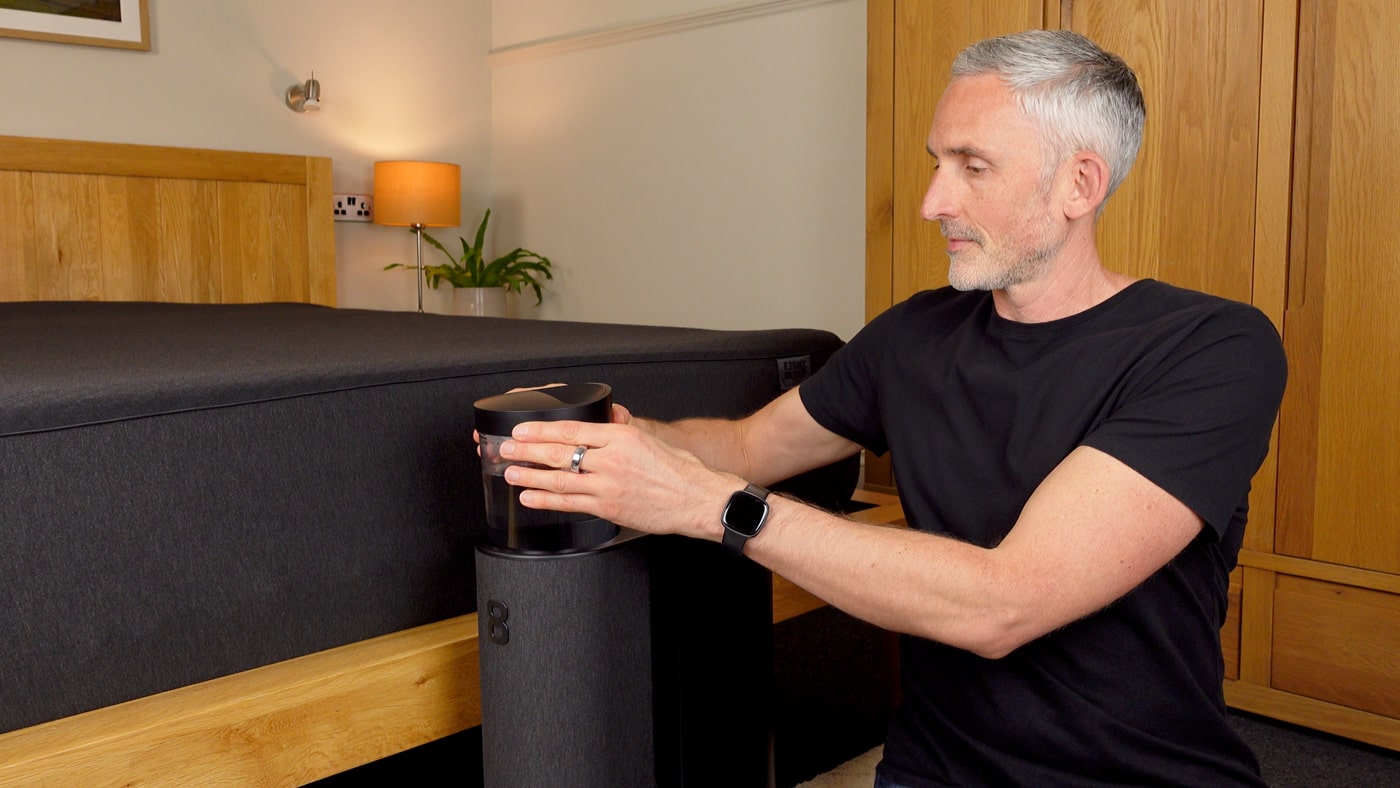
A core function of the hub is to regulate the temperature of the mattress pad that you lie on by heating or cooling the water and pumping it back through the pad.
The hub also acts as the brain, processing the sensor data for your sleep and a wide range of health metrics. That tracking data is then used by the AI-powered Autopilot system, and is also available for you to see on the app in the morning.
There was a very useful update to the app this spring, and you now get a summary of the most important points about your sleep, recovery, and health data in plain language on the home screen.
I much prefer this to the old way of having to dig around for the data I was most interested in. You also have the option to add any tags you like (such as exercise, stressful day, late meal) and it will tell you how your tags affect your sleep once there are enough repetitions.
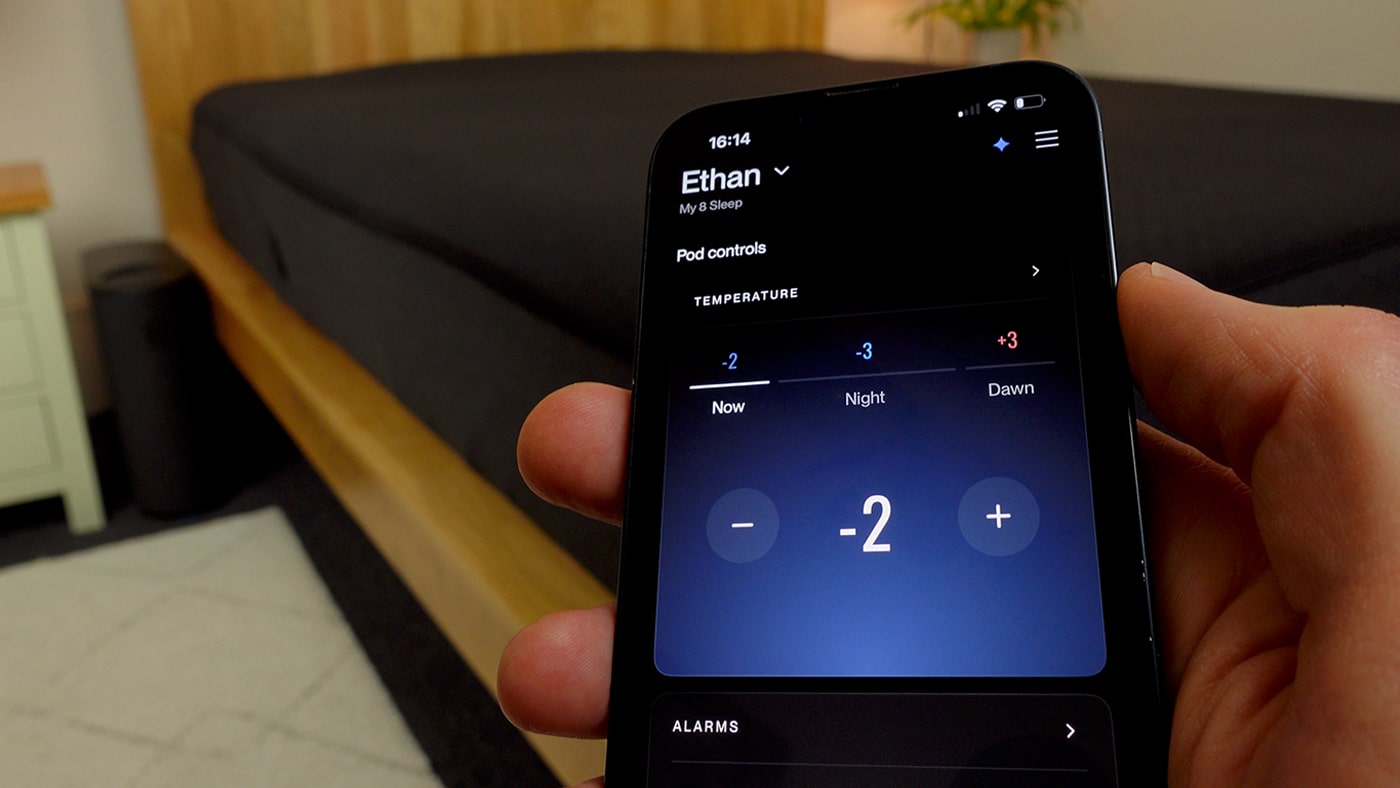
With the app, you can set the temperature for three main stages of the night, as well as a thermal alarm if you want one. The temperature range is 55–110 °F (13–44 °C), which we both found more than enough for our preferences; it feels very cold or very hot if you max it out!
You used to be able to select the temperature in Celsius or Fahrenheit, but Eight Sleep phased that out for new users and now it’s just the relative scale of -10 to +10, with a conversion chart you can check it against.
We only ever used the relative scale anyway, as it’s easier to remember what works and is quicker to make adjustments.
In the photo below, you can see that setting the temperature on the app is very straightforward. I usually prefer cooler temperatures for the first part of the night, and warmer later on, which is what Eight Sleep recommends doing.
After you set your initial temperature preferences, you can also use (or turn off) the intelligent Autopilot feature. That will make adjustments during the night based on factors like your current sleep stage, how you slept on the previous night, exercise and diet information you input, and the air temperature.
The idea is that it’s supposed to keep you at the best temperature for you personally in each sleep stage, and improve your overall sleep quality. I don’t have an easy way to confirm that, so I just hope it’s working in the background and don’t worry about it too much as I’m happy with the main temperatures I choose anyway.
Three of the biggest improvements over the Pod 3 model, which we also used for a long time, are the more comfortable mattress pad, even less maintenance, and the physical buttons on each side of the pad.
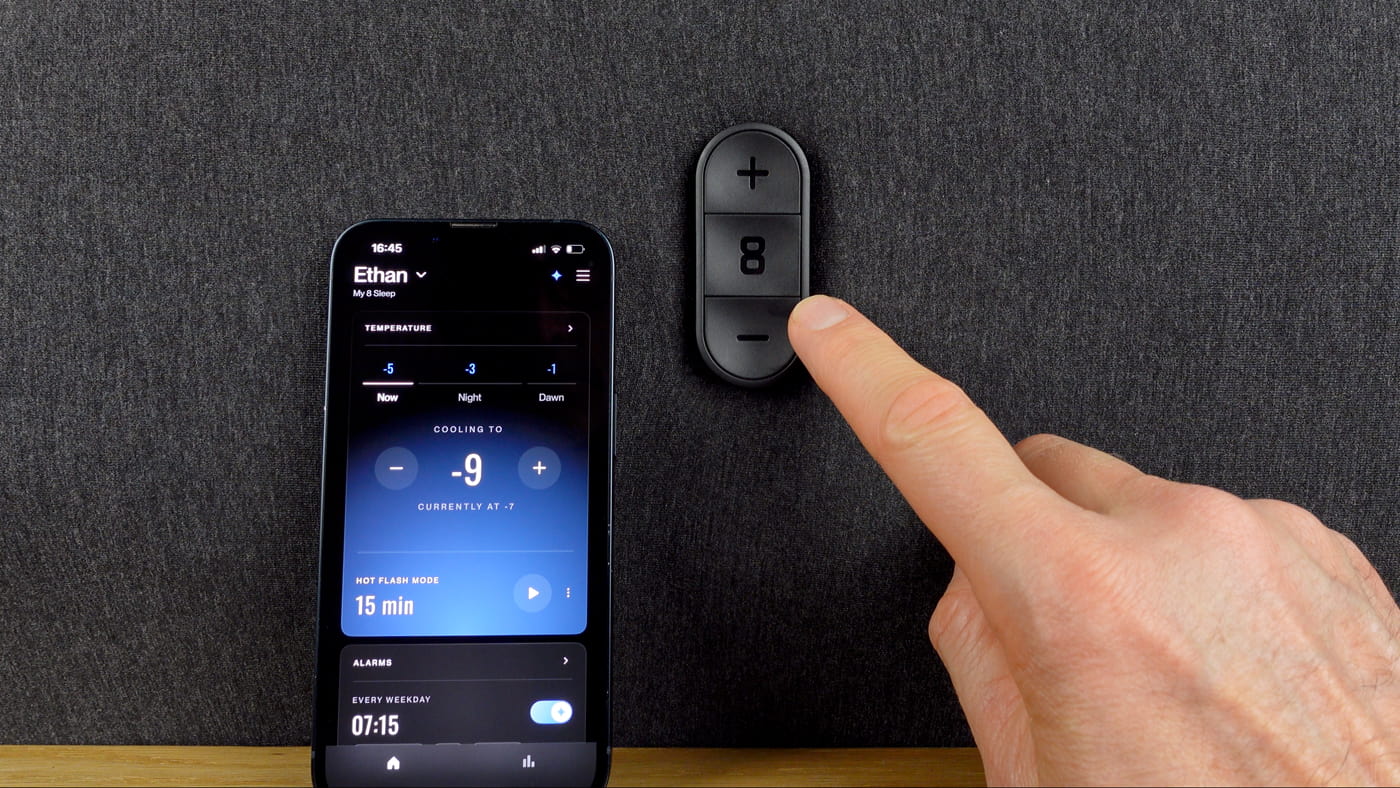
In the photo below, you can see the three buttons that are on both sides of the Pod 5 mattress pad and easy to reach when lying in bed. I love being able to change the temperature in the middle of the night with my eyes still closed!
The Pod 5 pad feels much softer to lie on than the Pod 3, and we never felt the water tubes under us even after sleeping on it for such a long time.
Having buttons right next to you in bed to adjust the temperature or snooze the alarm is very convenient. I used the buttons a lot, and really liked not needing to turn my phone on just to make one small adjustment.
Another point that really impressed me is how little maintenance is required. After six months, Eight Sleep sent me a maintenance insert replacement. It was very easy to pop the old one out and insert the new one, and it’s more convenient than having to source and add cleaning solutions. I only had to top up the water twice, so really the only regular maintenance was a bit of dusting.
One of my main criticisms is that you’ll need to find some space next to your bed for the hub as it’s quite large. Since my bedroom door is next to my nightstand, I had to keep it between the bed and nightstand, or behind the nightstand.
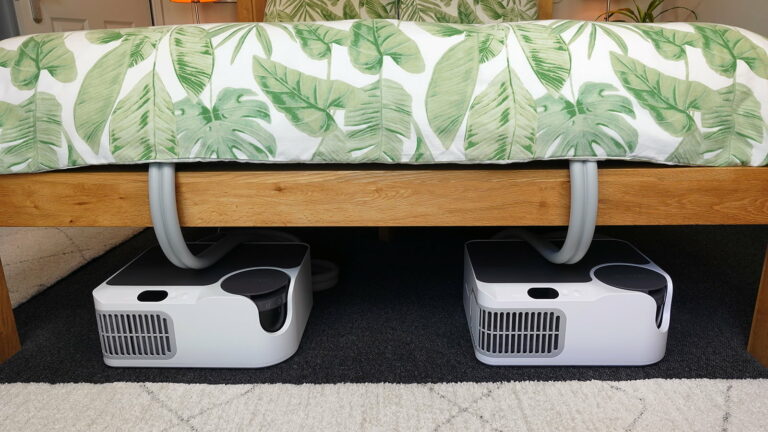
This is one point that both the Chilipad 2.0 and BedJet 3 do better, as they are both small enough to fit under my bed frame.
Another minor criticism is that the fan in the hub will make more noise when it’s on the coldest or hottest settings. However, we found that with our usual moderate temperature settings, it never triggered the increased fan sound.
I sleep with earplugs or headphones anyway, so it was never an issue. Importantly, Irene is more sensitive to noise as she doesn’t use earplugs, but she never complained about the Pod 5.
For me personally, the key benefit of the Eight Sleep Pod 5 is that it completely eliminated the issue of warm areas naturally building up under my body when I lie in bed. When using it, I slept much better in hot weather, even without air conditioning.
So if you struggle with feeling too hot (or cold) in bed and you have the budget for it, the Eight Sleep Pod 5 is one to consider.
Pros
- Powerful cooling and heating.
- Excellent temperature range.
- Single or dual zones.
- Sleep and health tracking.
- Vibrating and temperature alarm.
- Sleek app.
- Convenient physical buttons.
- Minimal maintenance.
Cons
- Some fan noise.
- Doesn’t fit under the bed.
- Expensive.
- Membership fee.
- Pad is spot clean only.
Warranty / trial period
You can return the Eight Sleep Pod 5 within 30 days for a full refund if you’re not happy with it. You have the option of a two or five year warranty (more below).
Price
The cost of the Pod 5 depends on the bed size. Last time I checked, they ranged from £2,449–£2,899 in the UK, or $2,799–$3,199 in the US, for example.
However, you also need to choose one of three membership plans, which bumps up the initial price. The standard, which comes with a two year warranty, is £17 in the UK and $17 in the US. The enhanced is £25 / $25 per month if you want the five year warranty. And the elite, which has additional health checks as well as the five year warranty, is £33 / $33 per month.
If you cancel the plan after a year or don’t renew it when it runs out, you’ll only have the option to set a manual temperature for the night. All of the smart features and tracking will be unavailable. That means the Eight Sleep involves some commitment to paying the membership in the future.
I haven’t discussed the optional extras – the base, the cooling blanket, or pillow covers, because we didn’t use them and didn’t feel the need for them. We were happy enough with the core Pod 5, which works very well on its own and keeps the cost down.
Take a look at my video and written Eight Sleep Pod 5 review, which covers it in a lot of detail. I also did an updated Pod 5 video after eight months to discuss some of the changes in the way we typically use it.
2. Chilipad 2.0
The best cooling mattress pad that doesn’t require a subscription, with an excellent temperature range.
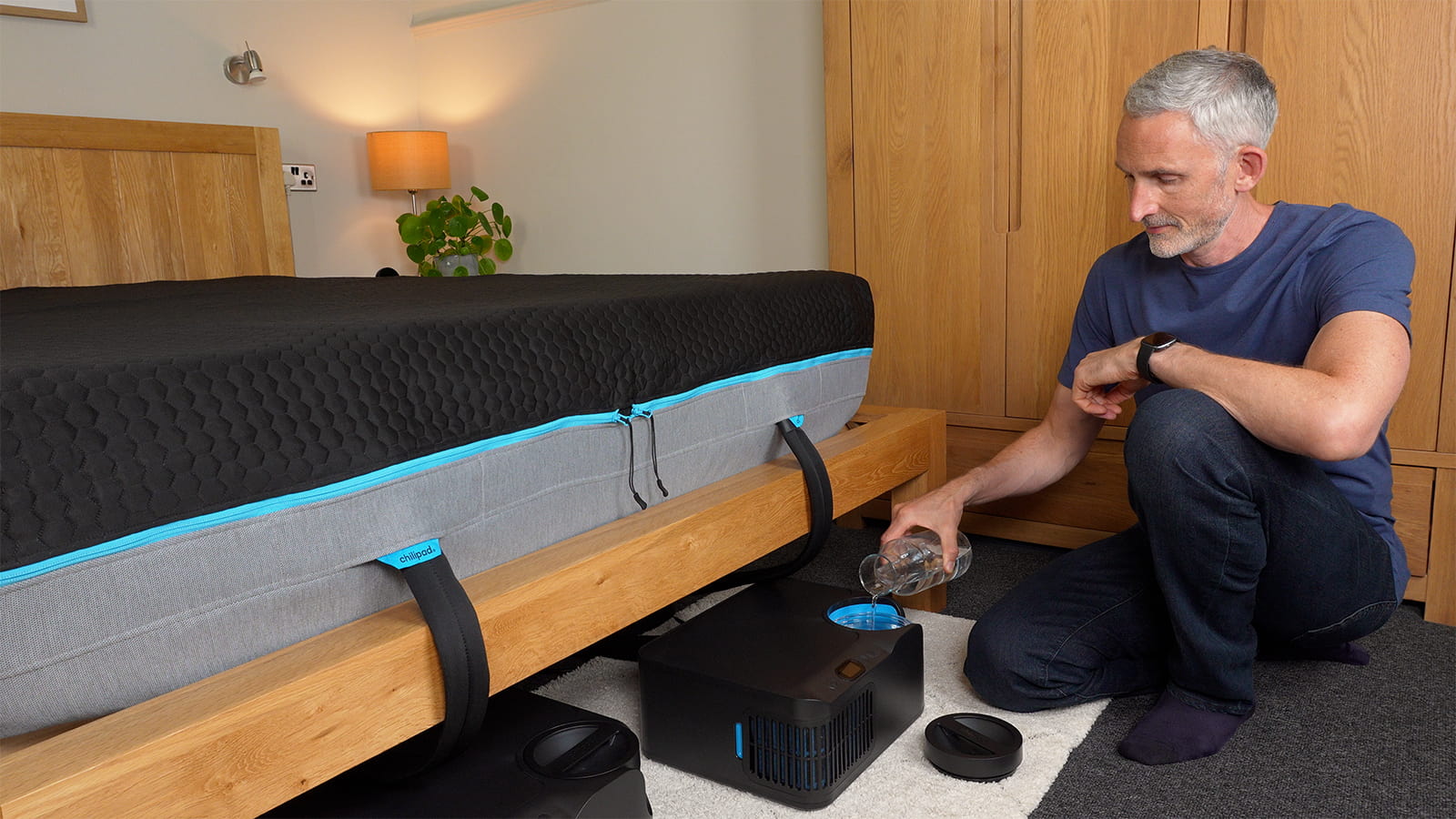
In the photo above, I’m filling the water reservoir of the Chilipad 2.0. It needs topping up much less frequently than the 1.0 model did, which is great. When I’ve topped up the water, I like how I can tuck the base units neatly out of the way under my bed.
The Chilipad 2.0 is the latest bed cooling system to come out, and so far it’s been better than the Chilipad 1.0 in several key ways, such as the quieter fan, new controls, and less frequent water refills.
The 1.0 model used to be called the Chilipad Dock Pro, which is how I refer to it in some of my older videos and articles. I’m not sure why they changed the name, but keep that in mind if you’re researching different bed cooling systems.
We used the Chilipad 1.0 for just over a year before changing to the Eight Sleep Pod 5. We really liked how effective it was, and I previously recommended it as my top alternative to Eight Sleep.
After a few weeks of using the 2.0, I can say it’s better than the 1.0 in many important areas, but I have a couple of new criticisms too.
One point that hasn’t changed is how fast, effective, and reliable both the cooling and heating are. And the way the cooling and heating works is very similar to the Eight Sleep Pod 5.
The base units heat or cool the water you add to the reservoir. It’s then pumped through a network of tubes in the mattress pad, which is soft to lie on. The temperature range is slightly wider than the Pod 5 at the high end though, running from 55–115 °F (13–46 °C).
We’ve had an exceptionally hot summer here this year, and the Chilipad 2.0 has been great on hot nights so far. The whole pad feels very cool when I get into bed, and stays cool all night if I program it to on the app, which is great. Irene hasn’t needed to use her side much as it’s been so warm anyway (she usually prefers a warmer bed) so either has fairly neutral temperatures or just leaves it switched off.
One design change with the pad is that the 2.0 has a new detachable comfort layer over the top of the hydrolayer. We’ve found it feels softer to lie on than the 1.0 did, but it means I’ve needed to set slightly lower temperatures. That’s not a problem as I never get close to maxing out the cooling, so it’s more of a comment on the design itself. Importantly, you can remove the top layer to machine wash it if you need to.
In the photo below, I’m installing the Chilipad 2.0 pad. You can see there are essentially three layers: the base layer that covers the mattress and also works as a waterproof mattress protector; the hydrolayer that the water flows through (one for each side); the comfort layer that adds some softness.
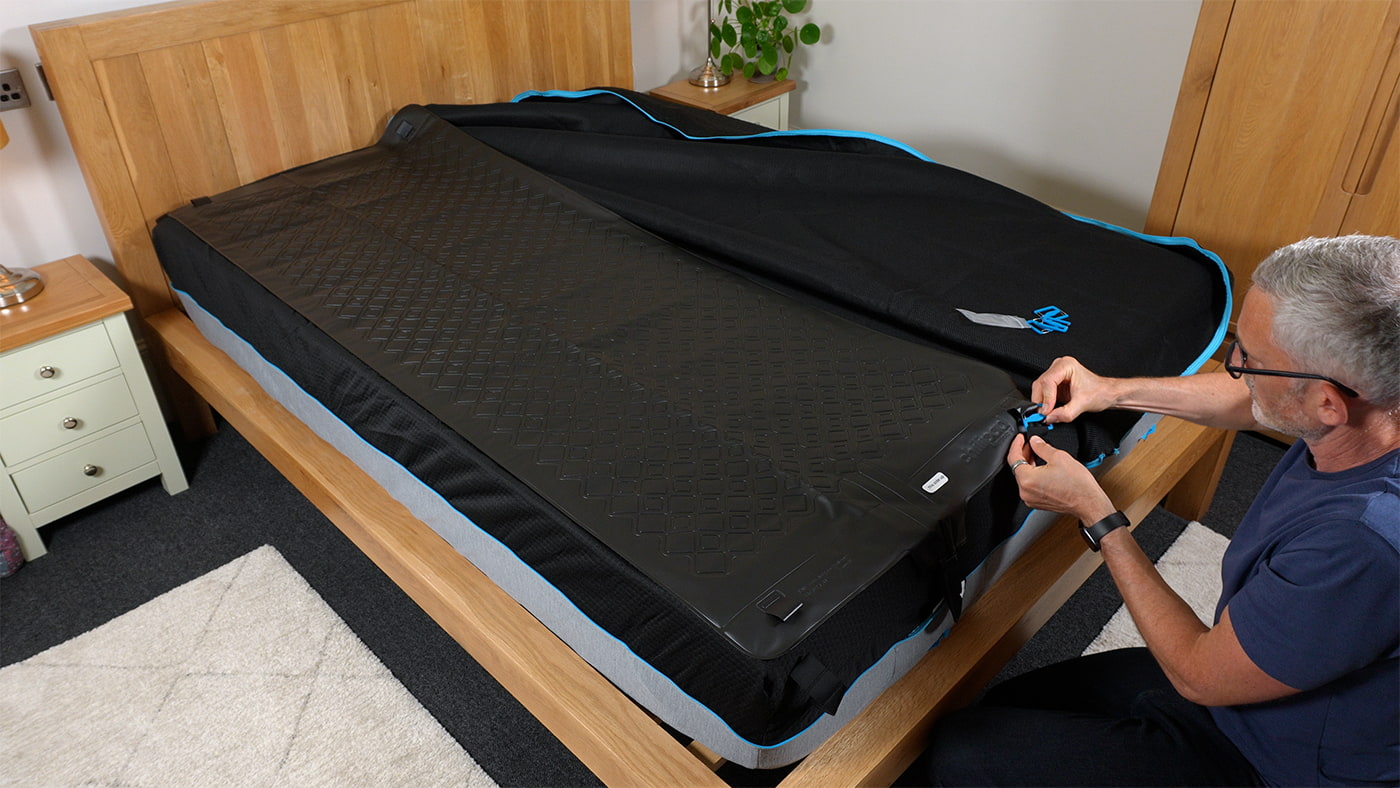
While it’s great that you can remove both the top layer and base layer to machine wash them, I did find the setup took longer than the 1.0 model. I also found it quite fiddly to attach the hydrolayer using the ladder system, and it was a faff trying to work out which height to clip onto. So in this respect, the Eight Sleep Pod 5 is quicker and easier to install.
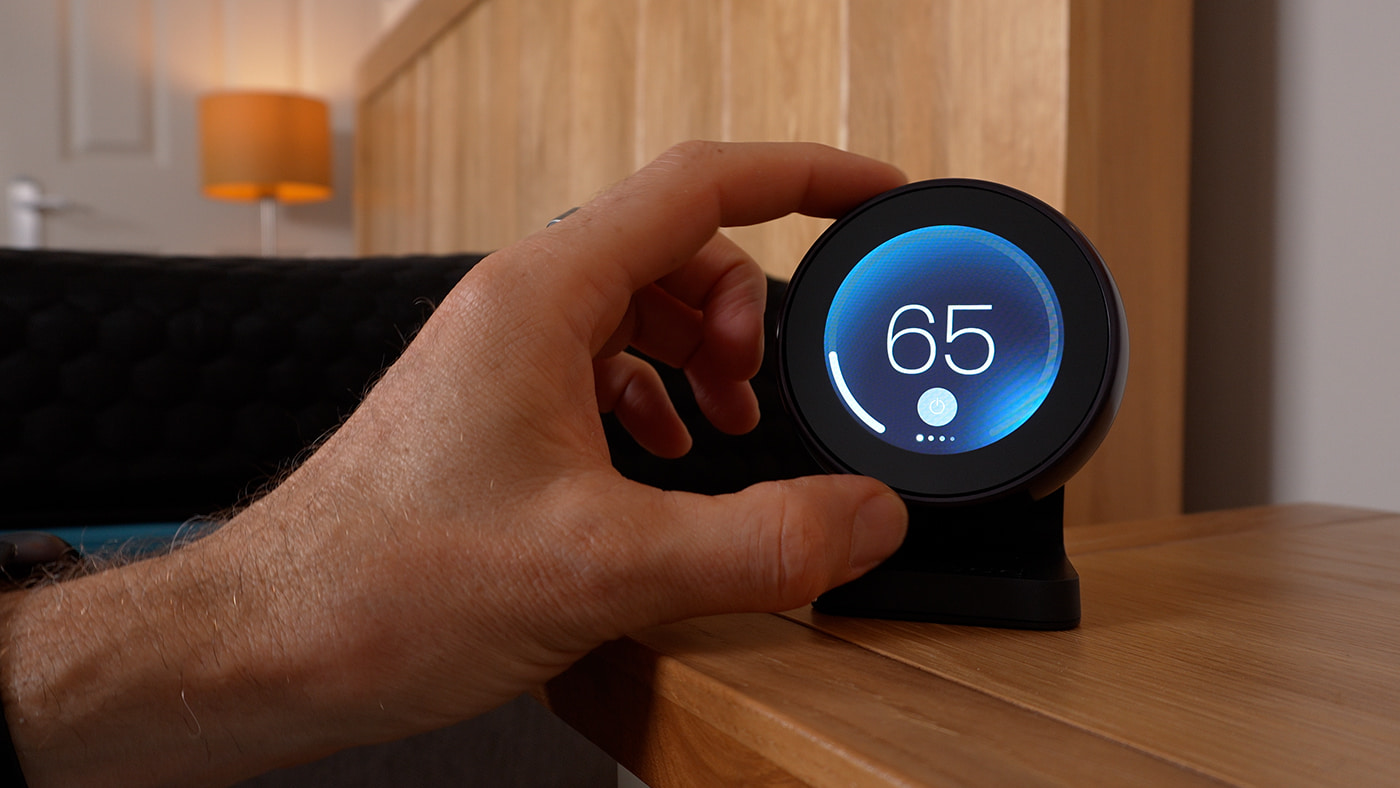
One of the best new features with the Chilipad 2.0 – both compared to the 1.0 and the Eight Sleep Pod 5 – is the remote control for the bedside table. This addition means there are now three different ways you can control the temperature, which is very unusual for a bed cooling system: the remote, the app, and the base unit (which is still called the Dock).
The remote doesn’t let you set the schedules, but I’ve loved using it to quickly change the temperature in the night. One of my minor criticisms of the Eight Sleep Pod 5 was that although the buttons were very useful, they don’t tell you what setting you’re on, which can be confusing if you press them many times in the night. But the Chilipad remote tells you on the screen.
I also like how you can change various other settings, such as the screen brightness, the screen timeout, and 12 or 24 hour clock. It also tells you the time, room temperature, and humidity.
One of my new criticisms though is that a dual-zone system now needs four power outlets or an extension lead. Even though the remote has a USB-C outlet to charge a device like a phone or tablet, you still need to plug in two Dock base units and two remotes. Personally, I wish they were battery powered.
In the photo below, you can see the Chilipad 2.0 remote. This is one of the best new features compared to the 1.0 model and very useful in the night.
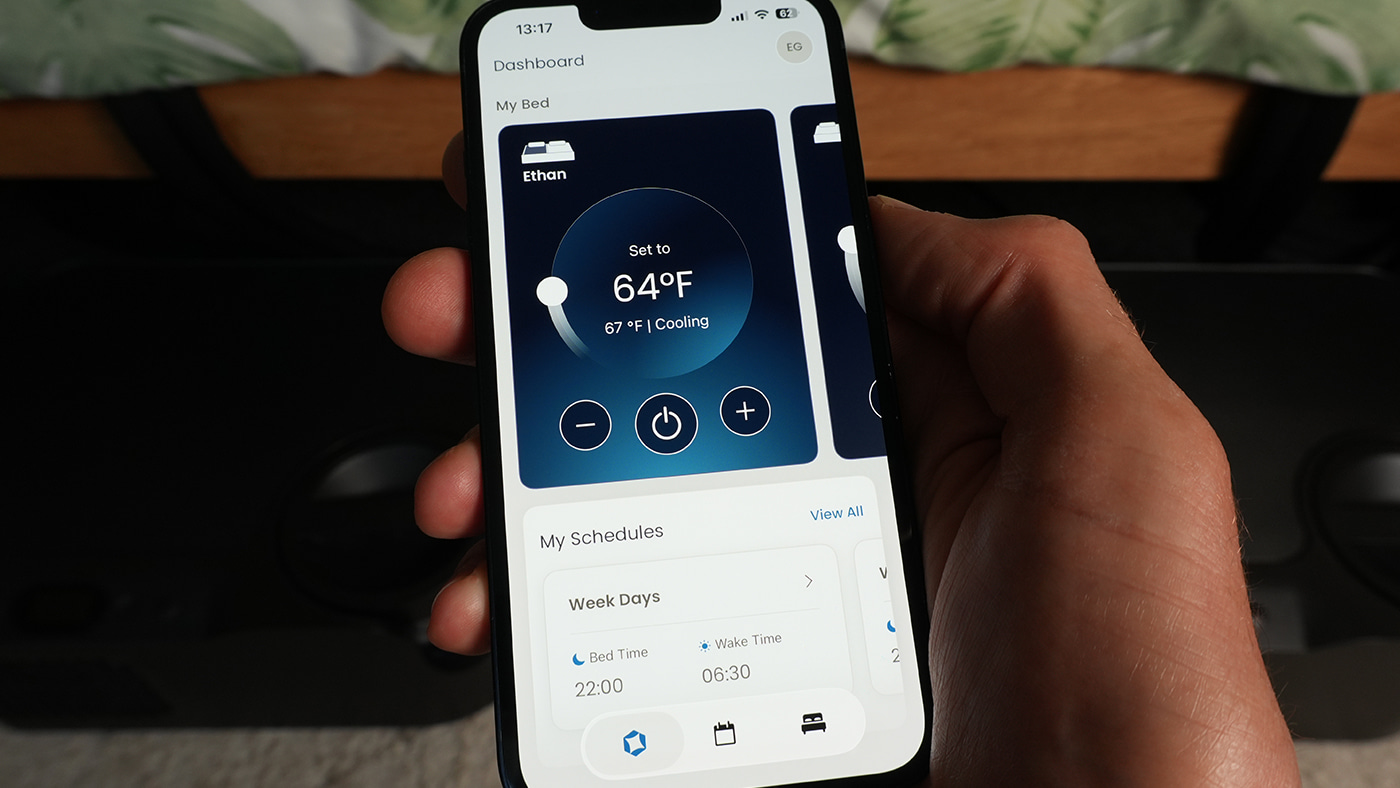
The Chilipad 2.0 also has sleep schedules, which are programmable on the app. You can set different schedules for each day of the week, or groups of days, so it turns on and off before and after your sleep window.
It gives you the option to program in three main temperature blocks during the night, as well as a thermal alarm. Unlike the Eight Sleep, you can add further manual adjustments if you want even more temperature changes, but I find three are enough and have them at quite similar temperatures anyway, with just a slight increase in the middle of the night.
There are also controls on the base Dock units. Even though it’s less convenient having to get out of bed to use them, I like that there’s a central power button, so you can turn the whole system on or off right there.
In the photo below, you can see the app can be used to adjust the current temperature, and set schedules. It’s very easy to use and quick to make changes.
One of the more important points when comparing the Chilipad 2.0 to the Eight Sleep Pod 5 is the price. While the initial cost of the largest dual zone bed sizes is comparable, the prices of the single zones are much lower. So if you sleep alone or only one person needs cooling or heating, you can keep the cost down a lot.
There’s no membership subscription fee, which reduces the cost over time too. However, you do need to buy their cleaning solution (in theory).
But there’s a key difference compared to the Pod 5: an Eight Sleep subscription will always be needed to access all the features, even some quite basic ones. But the Chilipad 2.0 will always work once you’ve got it – you can even disconnect it from your WiFi or put it in airplane mode and it will still work.
I’ve seen some people describe the cleaning solution as a stealth subscription fee. But there is at least the possibility (even though they don’t recommend it) of looking into alternative cleaning methods if you don’t want to buy their solutions.
One of the main downsides of the Chilipad 1.0 was the fairly loud fan sound, especially with two units running. So we’ve been very happy that the 2.0 is considerably quieter – and by several decibels when I measured it from one meter away. I never hear it with my usual earplugs or headphones, but Irene has also been fine with the fan sound.
Another downside is that you need two base units for dual zones. This takes up more floor space than the Eight Sleep single hub design. At least you can get them under many bed frames rather than having them next to it.
Finally, the Chilipad 2.0 needs regular maintenance, such as monthly control unit draining. So it’s more hands-on than the Pod 5 or BedJet 3.
On balance, I think the Chilipad 2.0 is a great option if your main need is for cooling (or heating) and you’d rather save money instead of having an extensive set of features and an AI system guiding your sleep.
It’s a very good alternative to the Eight Sleep Pod 5 if you live in the US, which is currently the only country they ship to. So if you don’t need the sleep tracking and just want fast and powerful cooling, excellent controls and the option to use it without WiFi, I’d recommend the Chilipad 2.0 over the Pod 5.
Pros
- Effective cooling and heating.
- Excellent temperature range.
- User-friendly app.
- Convenient bedside remote.
- Single or dual zones.
- Thermal alarm.
- No subscription fees.
- Airplane mode.
Cons
- Some fan noise.
- Two base units for dual zones.
- Four power outlets needed if you use both remotes.
- Expensive.
- Needs regular maintenance.
Warranty / trial period
The SleepMe website, where it’s sold, offers a 30 day trial period, along with a one year limited warranty. You can purchase an additional three year protection plan for $378.
Price
The price depends on two factors: your mattress size, and whether you want a single or dual zone.
It currently ranges from $1,599 for a smaller single zone to $3,198 for the largest dual zone. There are no ongoing membership or subscription fees to pay, but a year’s supply of cleaning solution for one unit costs $96 so you need to factor that in.
My link below will open up a promo code with an 8% discount.
If you’d like to see the original Chilipad 1.0 in action, take a look at my Chilipad 1.0 review.
3. BedJet 3 Climate Comfort
A fan-based bed cooling system with fan speed and temperature controls, and multiple timers.
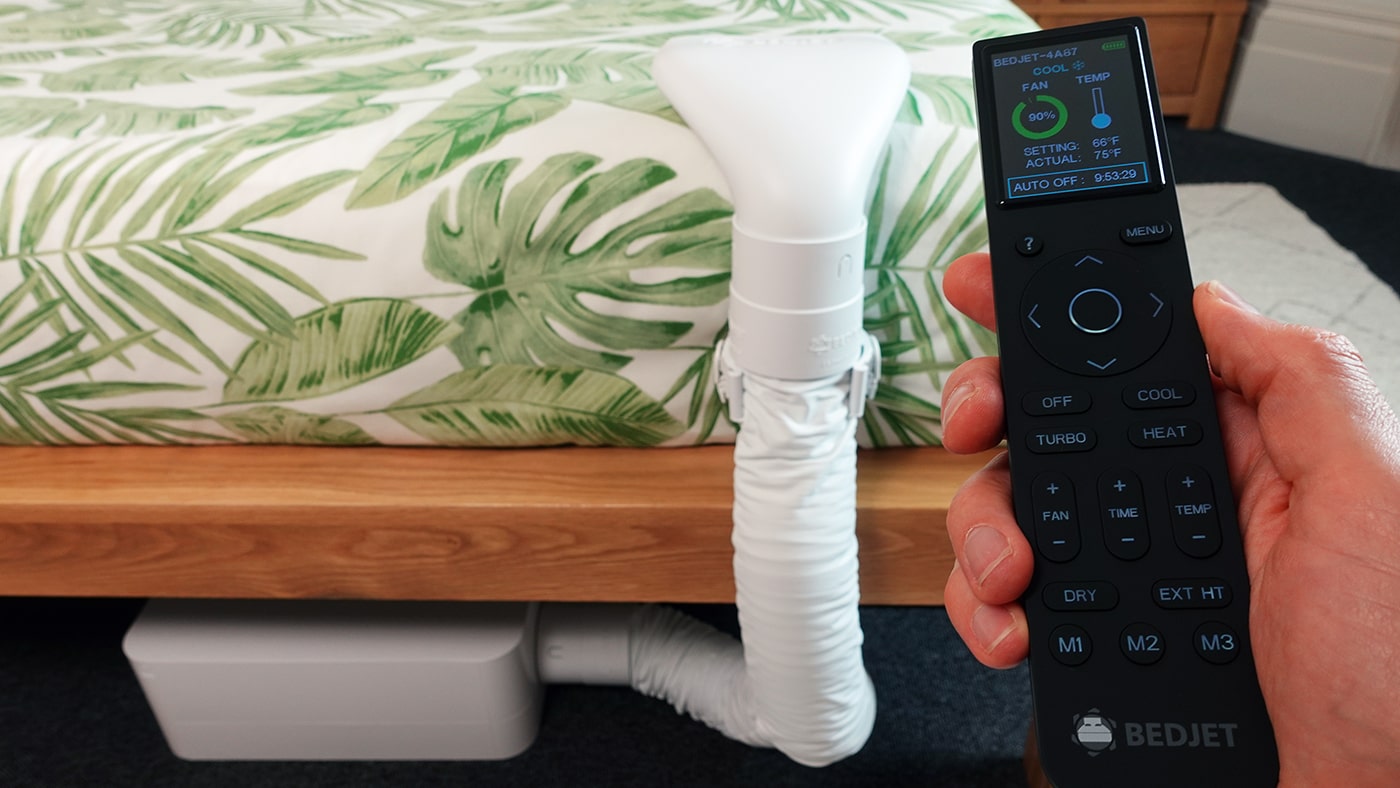
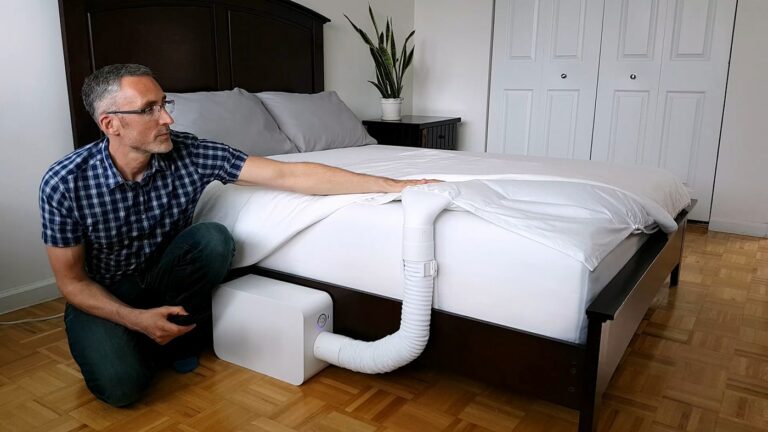
In the photo above, I’ve placed the base unit of the BedJet 3 under the bed (you need over 6 inches of clearance). The tube and nozzle are quite large, but I like how flexible the placement is. You can also see the physical remote control, which is excellent, if a little large. It means you don’t need to turn your phone on in the night to make minor adjustments.
The BedJet 3 is my top pick if you’d like a bed cooling system that works with air rather than water. It has a sleek design and can provide a steady stream of cool air all night long with its powerful, targeted forced airflow system.
I used mine for several years before giving it to a friend when I moved country, and it was a huge help in the warm summer months. We both agreed that it’s particularly good for keeping you dry if you tend to sweat in bed at night.
It’s designed to be compatible with any bed size and mattress, and it’s easy to install. You can choose to have cool air blowing gently over your body, just your feet, or inside the specially designed BedJet cloud sheet.
The cloud sheet is a bit like a giant duvet cover with a centre partition. It lets the air flow across the length of your bed without being in direct contact with your skin. It’s a good way to keep the cooling or heating to just one side of the bed if you share your bed.
There’s also the option of a dual-zone version for independent temperature control. With the double setup, you get two remote controls so you can both control the temperature on your side. There’s also an app if you’d rather control it with your smartphone or tablet.
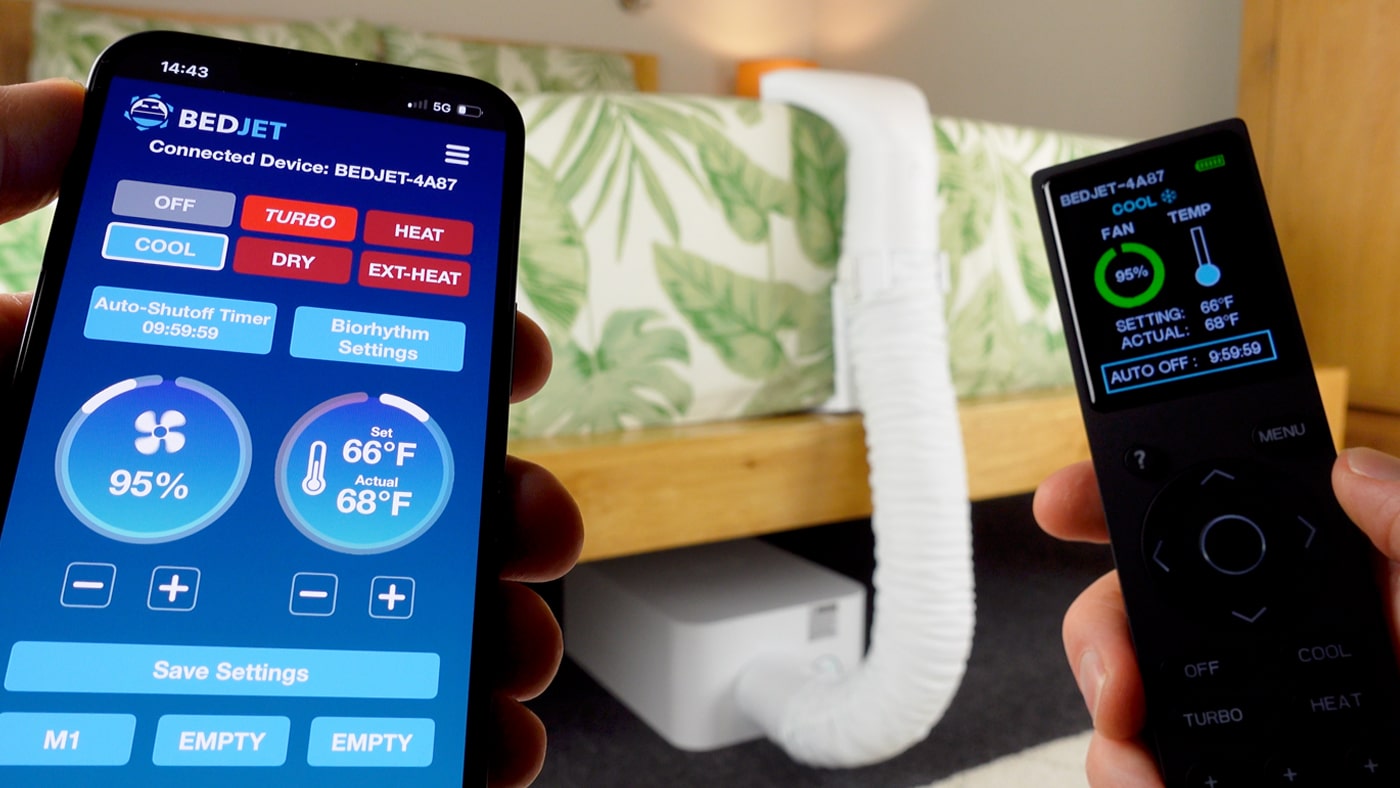
The remote control has a color screen, and you can use it to adjust a wide range of settings, such as the temperature from 66–104 °F (19–40 °C), fan speed, and auto-off timers. You can also program it to change temperatures at multiple times during the night.
In the photo below, you can see the BedJet 3 app and remote control. Changes in one are reflected in the other in real time, and it’s great having both options to control the system with.
You can also use the BedJet 3 as a heating system in colder weather. I found it to be more effective and energy efficient than heated bedding, and it also heats your bed much quicker. If you have dual zones, you could even have cooling on one side of the bed and heating on the other.
The main downside is that there’s a limit to how cool the air will feel in a very hot bedroom. While it does physically heat the air when you want heating, it doesn’t technically cool the air.
Instead, it picks up the air from the coolest part of the room (the floor level) and forces it through the tube. The result is that it feels cool on the skin, but if your bedroom is very hot, the air won’t feel cold like it would when coming from an air conditioning unit. Despite that, the flow of air still feels really nice when you’re lying in bed on a hot night, and it’s great at keeping sweat at bay.
Another downside to consider is that you need to keep the base unit somewhere. I could tuck it under my bed as you only need a clearance of 6.5 inches. If you don’t have that, you’ll need to keep it next to the bed instead.
It’s also worth keeping in mind that the fan makes some noise. It’s quite a soft hum on low to medium speed settings and pleasant to have in the background. But if you need silence to sleep, the noise on the higher speed settings might be too much.
Personally, I rarely used it on the highest speed settings anyway, as it’s effective on gentler settings, and with earplugs I can’t hear anything. But by comparison, it’s louder than both the Eight Sleep Pod 5 and Chilipad 2.0 unless you have it on the lowest fan speeds, which might not be effective enough. So realistically, it’s going to be louder on a hot night.
One final note is that the BedJets are remarkably robust. I gave the BedJet 2 to a friend ages ago, who ended up using it for eight years! And I used the BedJet 3 myself for several years with no issues.
Pros
- Cooling or heating all night.
- Good temperature range for a fan-based machine.
- Dual zones if needed.
- Physical remote control and app.
- Works with any mattress.
- No change to the feel of your current mattress.
- No subscription fees.
Cons
- Makes a fan sound.
- Need space under or next to the bed for the base unit.
- Expensive if you want dual zones.
Warranty / trial period
It comes with a 60 day trial period. They have an extended two year manufacturer’s warranty and will fix or replace any parts if needed.
Price
The standard BedJet 3 price starts at £599 in the UK, or $699 in the US, for a single unit on the company’s website. If you want two units with the cloud sheet, the queen size is £1,269 / $1,549 and the king is £1,279 / $1,559.
However, even though these are the standard prices, I can’t remember the last time I checked their website and they didn’t have a sale price listed. So you can usually expect to pay significantly less than those starting prices.
BedJet also released the BedJet 3 Mini last year. This is designed for people sleeping alone, or for a whole twin bed. It costs even less, so could be a good choice if you don’t share your bed and/or don’t have a large mattress size.
Take a look at my full BedJet 3 review to find out more.
4. Adamson B10 Bed Cooling System
A lower-cost bed cooling system that uses evaporative water cooling
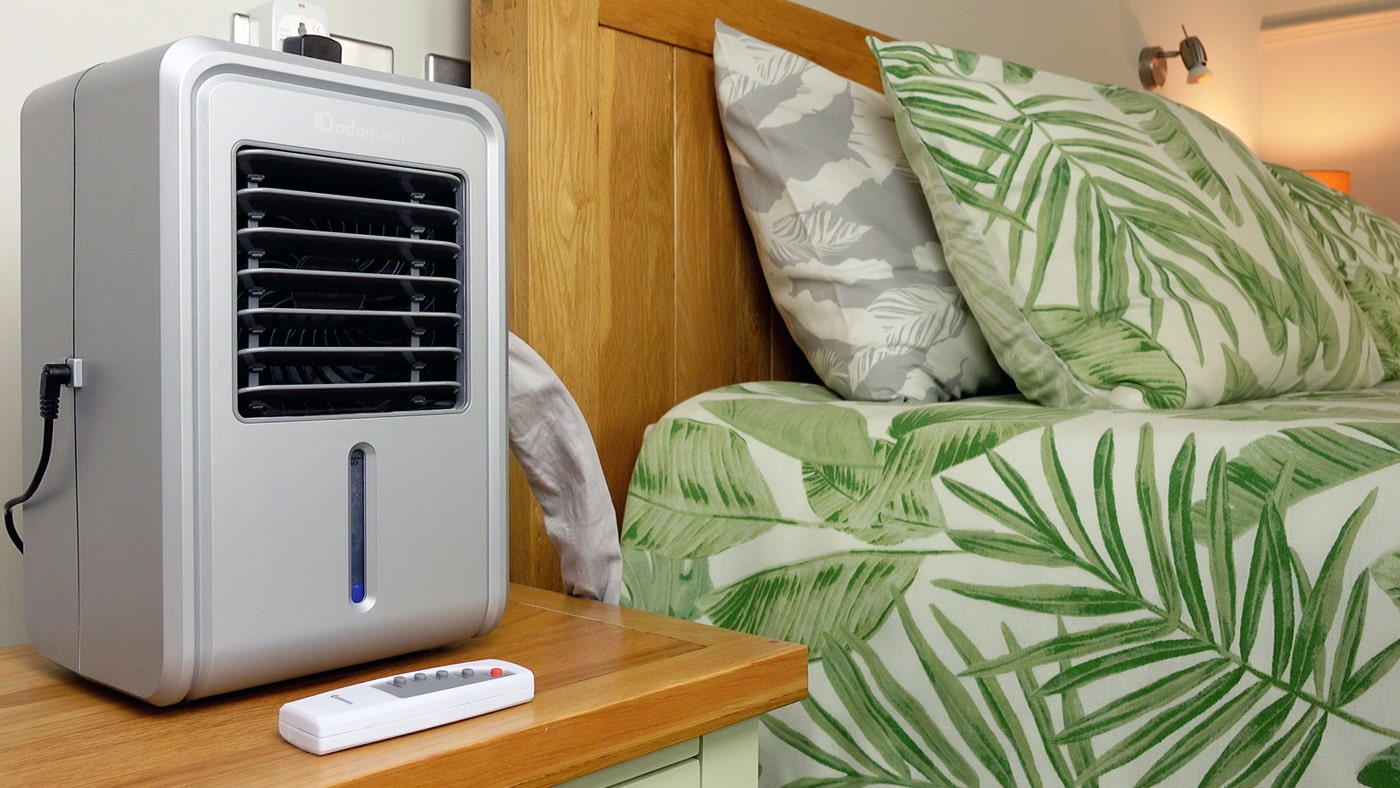
In the photo above, you can see the Adamson B10 cooling unit and remote control on my bedside table. It should ideally be positioned higher than your mattress rather than at floor level, so you do need to find space for it.
I spent a month testing the Adamson B10 bed cooling system in early summer 2025. I wanted to find out how effective a lower-cost bed cooling system would be, as I’m very aware that not everyone can afford the higher-end devices.
It works with water flowing through the mattress pad and back into the main cooling unit. However, it doesn’t actively cool the water like the Eight Sleep Pod 5 or Chilipad 2.0 do. I’d call it semi-active as what it does is cascade the water through a cardboard filter that’s exposed to the air inside the unit. Then there’s a fan inside that increases the rate of evaporation, and therefore the cooling effect.
A big disadvantage is that you can’t set target temperatures, but there are four fan speeds, as well as a fan cycle feature that turns the fan on or off. The manual says it can cool your mattress by 6–12 °F (3–7 °C), and this was what I found with my infrared thermometer gun when I tested it. More importantly, it does feel cooler to sleep on than my current memory foam topper.
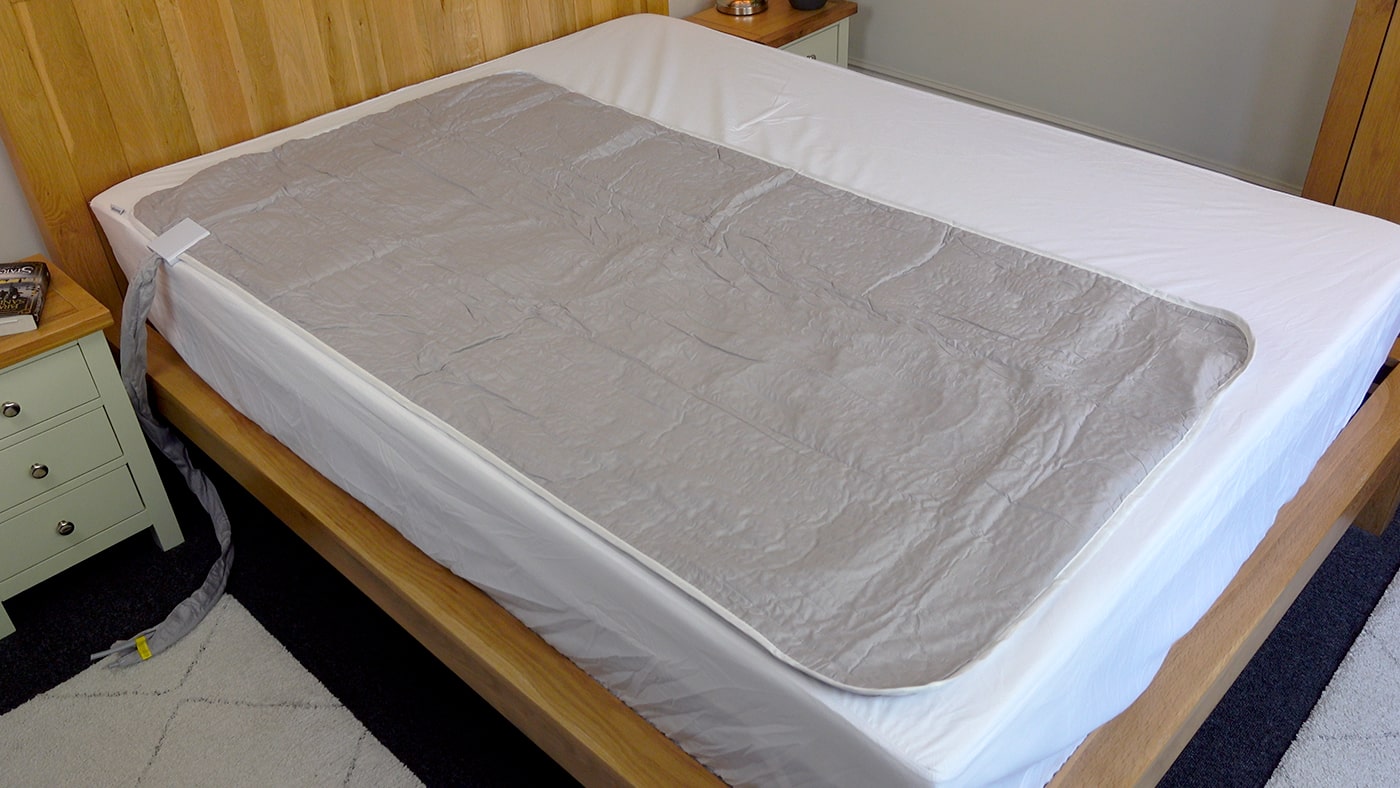
In the photo below, you can see the Adamson B10 mattress pad on my bed, as well as the water tubes that connect to the cooling unit. I put a bedsheet over the top, even though the pad itself is surprisingly soft and can be machine washed.
However, there are some points about it that made me stop using it after a month and put the Chilipad 1.0 back, which I had been using beforehand. Firstly, you need to position it high up, which means having a large control unit on your bedside table. If you don’t, and you add too much water, the manual warns that it will overflow – right through the middle of the unit.
Secondly, it’s noisy – so noisy that my partner asked me not to use it with the fan on, which means the cooling became far less effective.
Thirdly, I wasn’t so impressed by the way the water tube connection points are designed. There’s no locking mechanism for the water tube attachment, and the drain plug is just that – a plug, with no lock. And that makes me slightly concerned about the longevity.
Ultimately, the Adamson B10 was let down by those three issues most of all. That’s unfortunate because it does work and is far less expensive than the previous three bed cooling systems I’ve discussed. Still, it might be one to try if you’re on a tight budget and don’t mind returning it if you have the same experience as us.
Pros
- Moderate cooling.
- Soft mattress pad.
- Easy to use.
- No Wi-Fi or Bluetooth.
- Low power consumption.
- Low cost. No subscription fees.
Cons
- Large device for a bedside table.
- Only one pad size: 79 x 35 inches.
- No specific temperature controls.
- Noisy with the fan on.
- May overflow if you add too much water.
- Basic connection design for the tubes and plug.
Warranty / trial period
The Adamson B10 is sold on Amazon, and therefore comes with the standard 30 day returns period.
Price
The price is likely to change over time since it’s sold on Amazon. It typically costs around £260 in the UK, $220 in the US, $210 in Canada, and €280 in Europe. Note that it’s only available in one size – the twin (79 x 35 inches).
Find out more in my full Adamson B10 review.
5. Slumber Cloud Performance Mattress Pad
A mattress pad that helps dissipate body heat and feels breathable to sleep on.
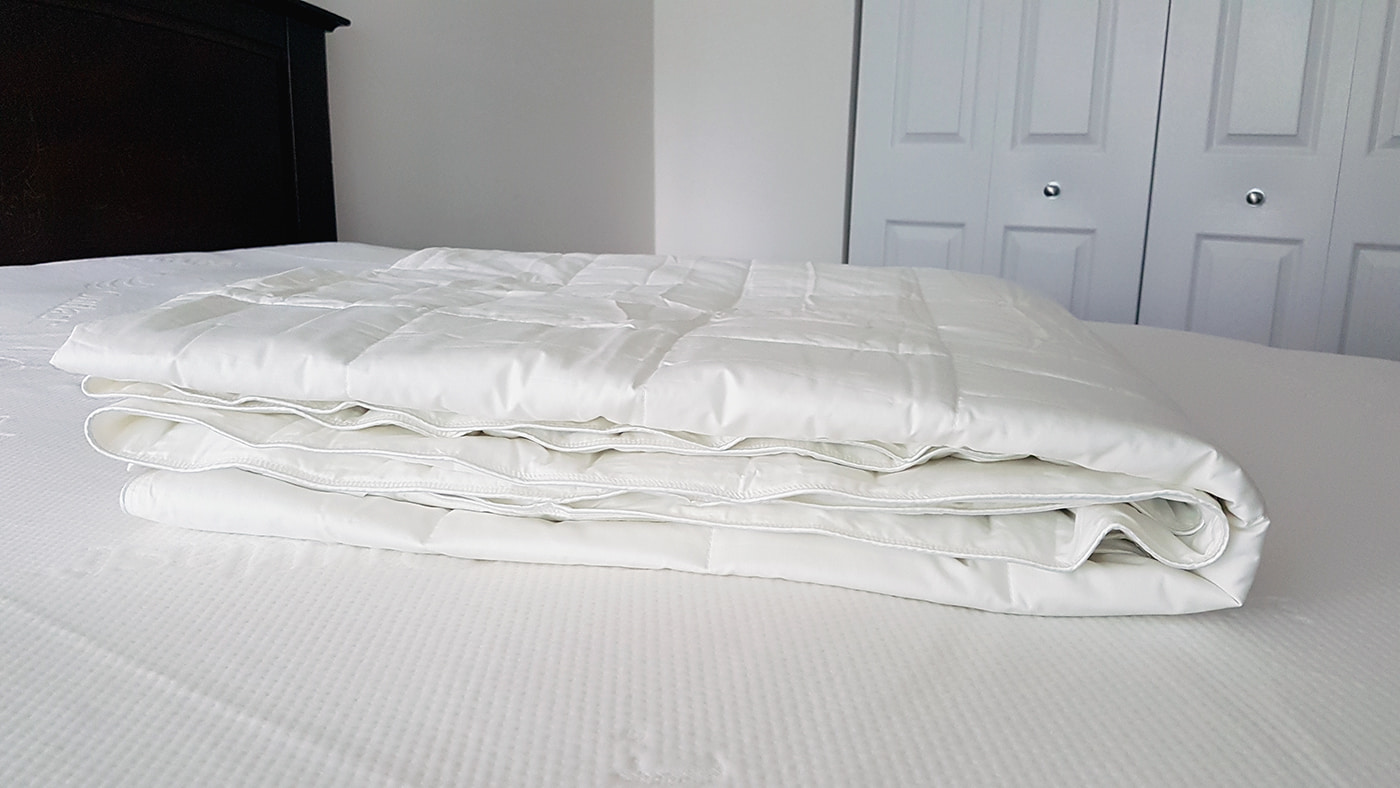
In the photo above, you can see the Slumber Cloud mattress pad set up in my previous bedroom. On top is the comforter, which I also made good use of during the summer as it’s very lightweight and breathable.
The Performance cooling mattress pad by Slumber Cloud is designed to keep you comfortable during the night by absorbing the body heat that builds up between you and the bed.
It works thanks to some clever technology that was originally designed for NASA. The pad uses a special fabric called Outlast, which is made from thousands of tiny beads called ‘Thermocules’. The beads absorb your body heat, changing from a solid to a gel as they do.
Outlast, the company behind the cooling material, describes the effect like an ice cube in a drink. The ice melts as it absorbs the heat of the drink, keeping it cool for longer. Similarly, the thermocules turn to a gel as they take in your heat, helping you stay cool for longer. If you’re interested, you can learn all about the way it works on the website outlast.com.
The Performance pad is the latest of four cooling mattress pads made by Slumber Cloud. The main improvement in this one is that the Outlast material is also combined with Tencel Lyocell for better moisture wicking as well as heat absorption.
With the exception of the two active cooling mattress pads, I found it works really well compared to other cooling pads I’ve tried. It felt significantly more breathable than a normal mattress, topper, or pad. And it helped me feel more comfortable during some unbearably warm summer nights.
The main downside is that it’s not an active cooling system, so you can’t set a desired temperature to lie on like you can with the Eight Sleep Pod 5 and Chilipad 2.0. What it will do, however, is stop you from feeling like you’re lying on top of a radiator on hot nights!
Another point to keep in mind is that it’s not as thick as many toppers as it’s only a pad, so it won’t provide a significant amount of extra softness. Perhaps that’s a good thing though if you’re already happy with the level of support your bed currently provides.
For me, it’s the best cooling solution in the form of bedding that you don’t need to plug in to work. The BedJet 3 will keep a larger surface area of your body cool with its air stream, while the Pod 5 and Chilipad 2.0 will actually cool your sleep surface. But the Slumber Cloud mattress pad is a good option if you don’t want to spend big on expensive tech and just want a cooler-feeling fabric to lie on.
Pros
- Wicks body heat.
- Cooler fabric than standard bedding.
- Well constructed.
- Robust.
- Reasonable price.
Cons
- No active cooling.
- Relatively thin.
Warranty / trial period
Slumber Cloud has a 60 day trial period, so you can test it out and send it back if you don’t like it. They have a 180 day warranty against manufacturing defects.
Price
The pad is available in seven sizes, and the price varies accordingly. On the company’s website, they range from $269 for the twin size up to $469 for the split-king size in the US.
They ship to select APO and US Territories and Canada, but not internationally.
Find out more in my full Slumber Cloud cooling pad review.
6. Lucid Gel-Infused Memory Foam Mattress Topper
A low-cost memory foam topper with ventilation ridges
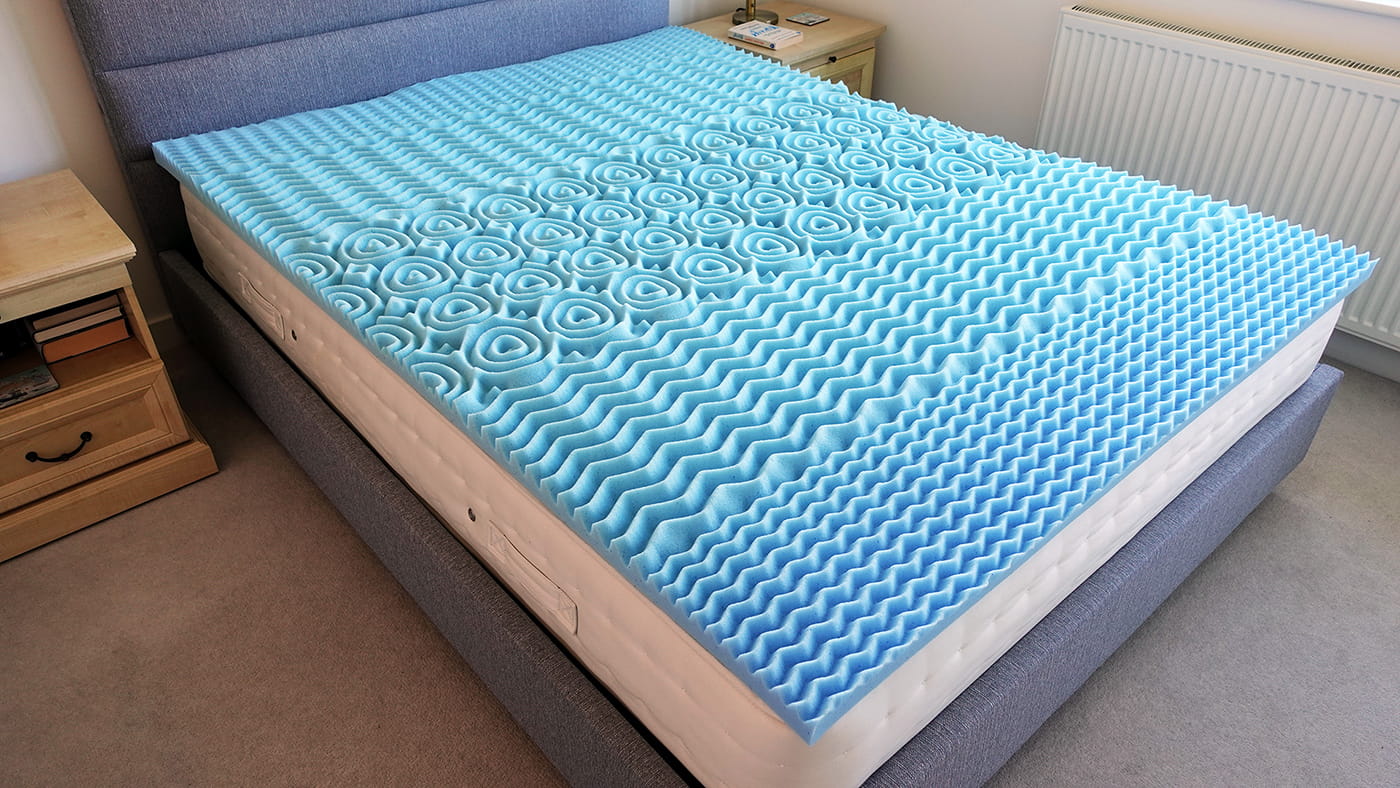
In the photo above, you can see the different ridges in each of the 5 zones of the Lucid mattress topper. They are designed for body support, but may add some natural ventilation too.
I was initially hesitant to include a memory foam mattress topper in this article because, well, memory foam is usually known for being on the warmer side rather than keeping you cool!
However, I know a lot of people like the cushioning and softness of memory foam and there are many that are supposed to feel cooler because of the gel beads they include. So I wanted to try one for myself, and to be able to share how it feels.
I slept on mine every night for two weeks in quite warm weather with no air conditioning, and basically found that it didn’t feel as hot as the standard ‘slabs’ of memory foam I’ve tried in the past.
However, I still wouldn’t describe it as feeling cool – especially if you’re used to sleeping on an active cooling mattress pad like the Eight Sleep Pod 5 or the Chilipad 2.0!
So it may be that it’s a case of how it feels compared to what you’re used to. If you switch from an active cooling system, then it will feel very warm in hot weather. But if your current mattress or topper already feels very warm, then it may feel cooler initially.
Like the Slumber Cloud, it will also naturally feel warmer as the night progresses. I think there’s only so much those gel beads can do, even with the ventilation created by the ridges. I found the ridges compress a lot under my body weight anyway, rather than allowing plenty of airflow under your body.
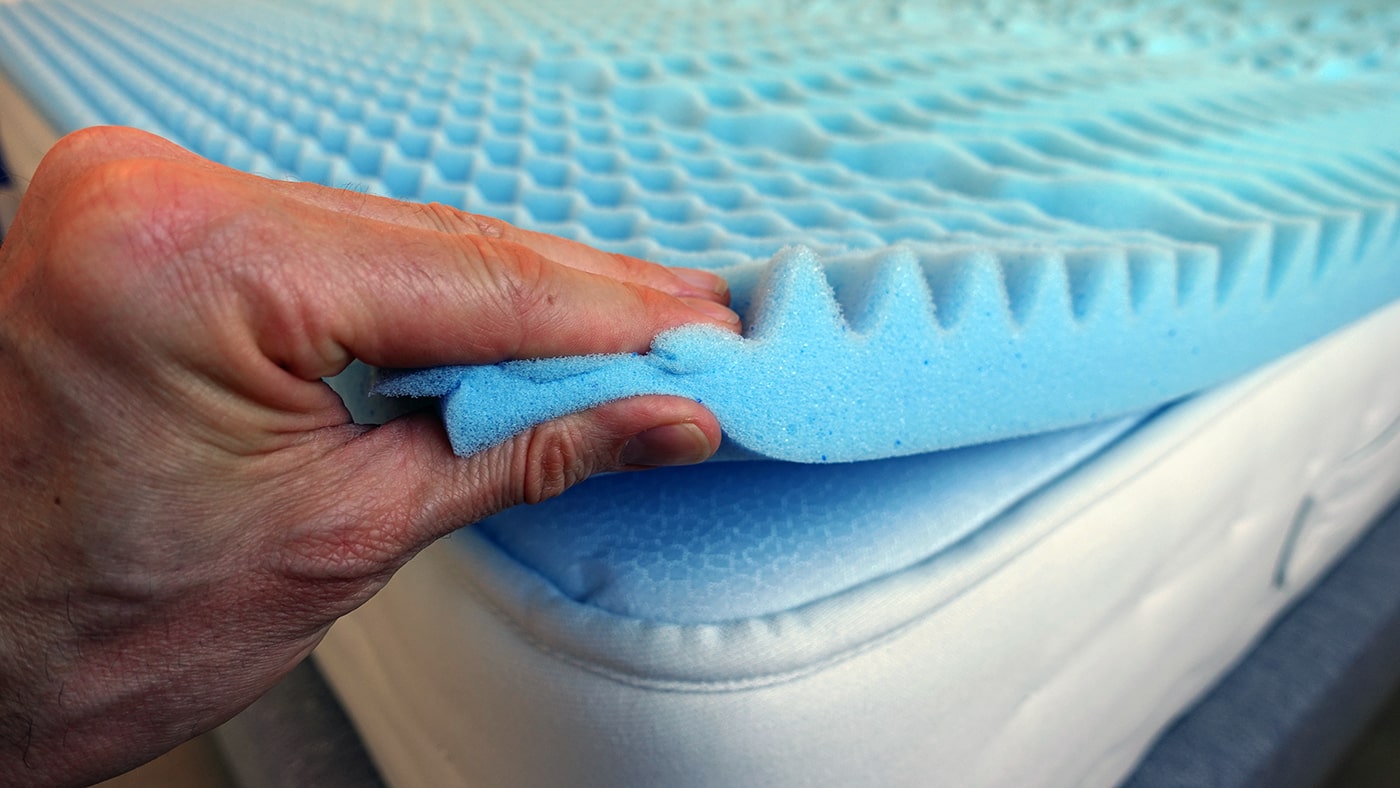
Below, you can see how much the Lucid topper compresses when I squeeze it tightly. You can also see the tiny gel beads infused into the memory foam.
As for the comfort, I personally liked how well the Lucid conformed to my body. It has quite a soft feel, yet still provided me with a good amount of support in my hips and shoulders when lying on my side or front.
In summary, if you like the feel of memory foam but don’t like how warm it can get, I think it may be worth trying this style of gel-infused memory foam with ridges rather than a solid structure. I’d make sure you can return it if it turns out to be too warm still though. In very hot bedrooms, or for very hot sleepers, expecting memory foam to actually cool you might be a step too far.
Warranty / trial period
As it’s sold on Amazon, you’ll have the standard 30 days to return it. I checked with customer services, and you can return it used.
Price
As it’s sold on Amazon, the price can change throughout the year. When I bought mine, it was under £100 for all the mattress sizes in the UK. It was under $100 for all the 2 inch sizes in the US, and just over $100 for the largest sizes in the US.
Pros
- Low price.
- More breathable than thick memory foam.
- Soft feel.
- 5 zones for variable body support.
Cons
- No active cooling.
- Will warm up as you lie on it.
- Compresses under heavy weight.
Some extra thoughts on using active bed cooling systems
I’ve used several different bed cooling systems over the last decade. I used the BedJet 2 for a couple of years, the BedJet 3 for several years, the Eight Sleep Pod 3 for a year, the Chilipad 1.0 for around a year, the Adamson B10 for a month, the Eight Sleep Pod 5 for a year, and am currently using the Chilipad 2.0. So I have a lot of experience with them!
There are a few points I wanted to make at the end of this article that I’ve thought about a lot and might be useful to understand if you’ve never used one before.
Firstly, there’s no ‘rule’ about how to use them, and I’ve found it changes throughout the year. For example, in the summer, I tend to use the cooling a lot while Irene either has a little bit of warming on her side, or none at all if the system can be turned off completely.
In the winter, I don’t tend to use much cooling. Depending on which system it is, I either turn my side off or set it to a neutral temperature. In contrast, Irene uses the heating much more.
The main exception is the Eight Sleep Pod 5, which needs to be turned on to use the sleep and health tracking. But even with that, I put the temperature settings on relatively neutral levels when I need to. The Adamson B10 can’t be used for heating, so I wouldn’t use it at all in the winter.
What I’ve also found is that sometimes all that’s needed for me to feel comfortable when I get into bed and fall asleep is some pre-cooling, or even pre-heating in the winter.
Last summer, and definitely in the cooler autumn, I sometimes found that I only needed to cool the bed for a short period at the start of the night.
And on extremely cold nights last winter, we got into the habit of turning the heating on for both sides around 20 to 30 minutes before going to bed, and then turning it off when we got into bed. I found the Chilipad 1.0 stayed warm for at least an hour, sometimes up to two hours after having the heating on a higher setting, before slowly cooling down over the night.
Even if you’re primarily interested in cooling rather than heating, I think it’s worth mentioning that you don’t necessarily need to run all of these systems all night long, whether you’re using them for cooling, heating, or both at the same time. That means you can keep the electricity cost down, and also not have the fan noise all night.
On the other hand, one of the good points about the app controls and schedules is that you can just program them occasionally as the seasons change and go to bed knowing that the temperature will be taken care of.
Another interesting discovery I’ve made is that quite similar temperature settings can feel very different in the summer and winter. For example, last summer I found that -1 or -2 on the Eight Sleep Pod 5 felt relatively comfortable when my bedroom was really hot.
But in January 2026, when it was very cold, just 0 or +1 actually felt nice and warm! I’m still trying to decide what to make of this, as it raises questions about which settings to recommend. But it’s been interesting to see how the room temperature and how I feel impacts my choice of cooling or heating settings.
Having said that, this summer has been much hotter, and I found I needed to stretch to -5 on the Pod 5 much more often, and sometimes even cooler when I first got into bed, after which I would dial it back to lower the fan speed noise.
One final point is the maintenance. I’ve done all of the different maintenance jobs required by each system now. The Adamson B10 needed the most regular maintenance (fortnightly), while the Chilipad 1.0 and 2.0 also need regular attention (monthly). The BedJet 3 required the least, and the Eight Sleep Pod 5 doesn’t need much either.
The hardest part with the Chilipad 1.0 was removing the cover to drain, wash, and refill it twice a year. It was a bit time-consuming, but easy enough to do and it’s good that you can machine wash the pad. The 2.0 also takes time to clean, but I like how you can just unzip and wash the top cover if you need to, without having to remove the hydrolayer with the water inside.
I filmed myself doing some of those maintenance tasks when I had the 1.0 and wrote about it in my Chilipad 1.0 / Dock Pro 200 days update if you’d like to see what it involves before deciding if it might be right for you.
What about other low-cost bed cooling systems online?
I’ve seen several devices that look similar to the Adamson B10 on sites like Amazon. Whether they all have similar issues isn’t for me to guess. But my experience with this one hasn’t inspired me to try out any others any time soon.
Still, they may be worth trying if you’re on a very tight budget. Just keep a close eye on that returns window, would be my advice.
My tips for managing heat in bed
There are many ways to keep your bedroom, bed, and body cool at night and the surface you sleep on is just one piece of the puzzle. If you’d like some more suggestions, have a read of my tips for keeping cool in bed.